Fantasy Engine user guide 1.0.0 / For members
Home, lobby and help
For members. The website and the Android / iOS apps show the same screens; on a phone the menus move to a bar at the bottom.
Home, menus and navigation#
Last updated: 2026-11-05 · v1.0.0
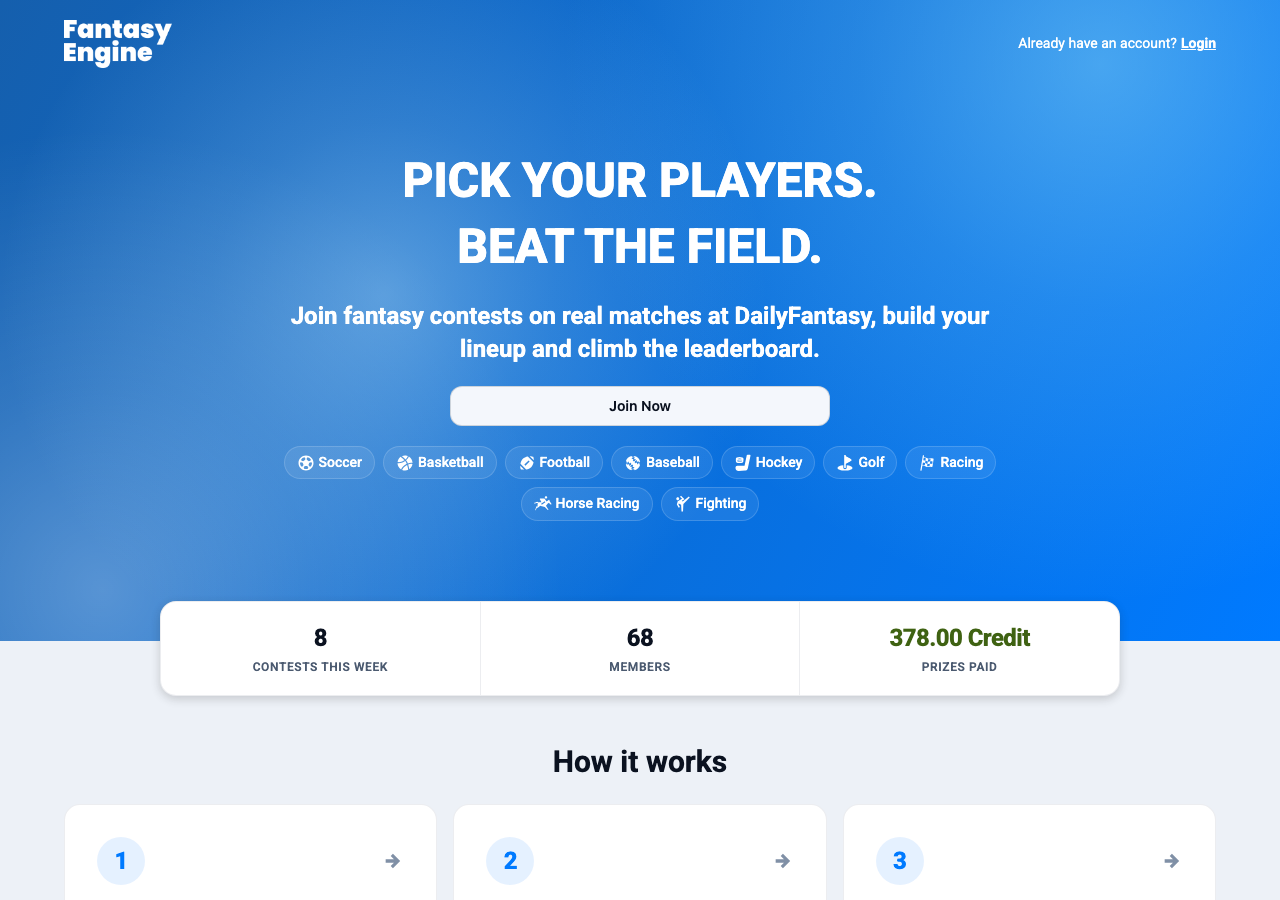
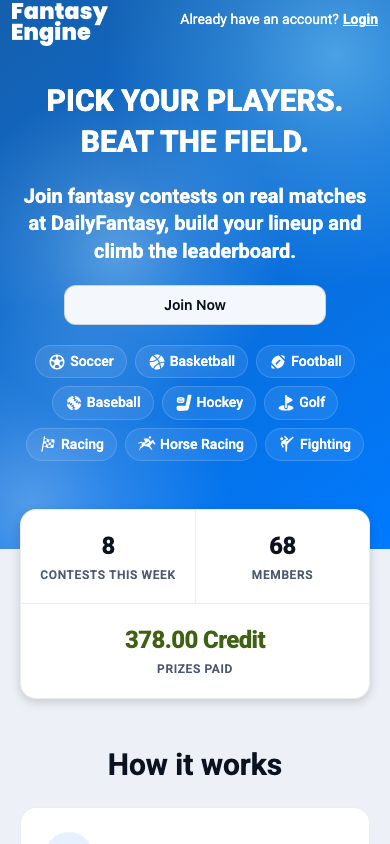
A visitor who is not signed in sees the landing page. Its top has one look on the website and in the apps, in light and dark mode: a calm gradient in the brand colours with a few soft light glows, the logo at the top left, "Already have an account? Login" at the top right (white, bold, underlined; on a very narrow phone it takes two lines), and in the middle, centred:
- the headline "Pick your players. Beat the field." on two lines;
- "Join fantasy contests on real matches at <your site name>, build your lineup and climb the leaderboard.";
- Join Now (opens sign up);
- a strip of the site's active sports: a sport that is active and has at least one active league, in the admin's order (the pills are not links; a renamed or switched sport follows at once; no active sport = no strip).
The top is only as tall as this content, so a wide or tall screen shows no empty band. Under it, overlapping its lower edge, a card shows the site's figures:
| Figure | Counts |
|---|---|
| Contests this week | the contests that start this week, Monday 00:00 to Sunday 23:59 in the site's time zone (Site Settings → Site Information); live and finished ones count, cancelled ones do not |
| Members | the active member accounts |
| Prizes paid | every prize paid to an entry so far, extra prizes of a re-settle included, in credits ("378.00 Credit") |
- When a figure hides: a figure of 0 is left out (a new site with no contest this week and no prize paid yet shows only "Members"); Prizes paid is also left out in the apps while money-off mode is on (the website keeps it). With no figure left the card is not shown.
- How fresh: the figures are read again at most an hour after a change, and at the start of each new week at once. A new contest or member can therefore take up to an hour to show here; everything else on the site is up to date.
- Nothing on the landing page is set in AdminCP: there is no background to upload. A customised look is a change of the app (developer work).
- The text says nothing about money, so it also suits the apps while money is off.
- In the Android and iOS apps the phone's status bar shows white icons over the landing's dark top; the next screen (Login, Sign up) has the usual icons again.
A signed-in member's home page shows blocks of open contests: Recommended, Featured (chosen by the site), Single Entry and more. Each card shows the league, the start, the name, the Max prize pool as its big figure (a free contest: Entry Fee Free, so free and paid cards have the same shape), the game type and entry chips, the seats taken as a bar and one button: Enter for 10.00 Credit (Enter when free), View/Edit when the member already holds the only entry a single-entry contest allows, or a greyed Full.
On the first visit each block shows grey placeholder cards until its contests arrive. Coming back to Home later (the logo, the Home link or tab) shows the contests of the last visit at once and refreshes them in place: no block appears with its title and nothing under it.
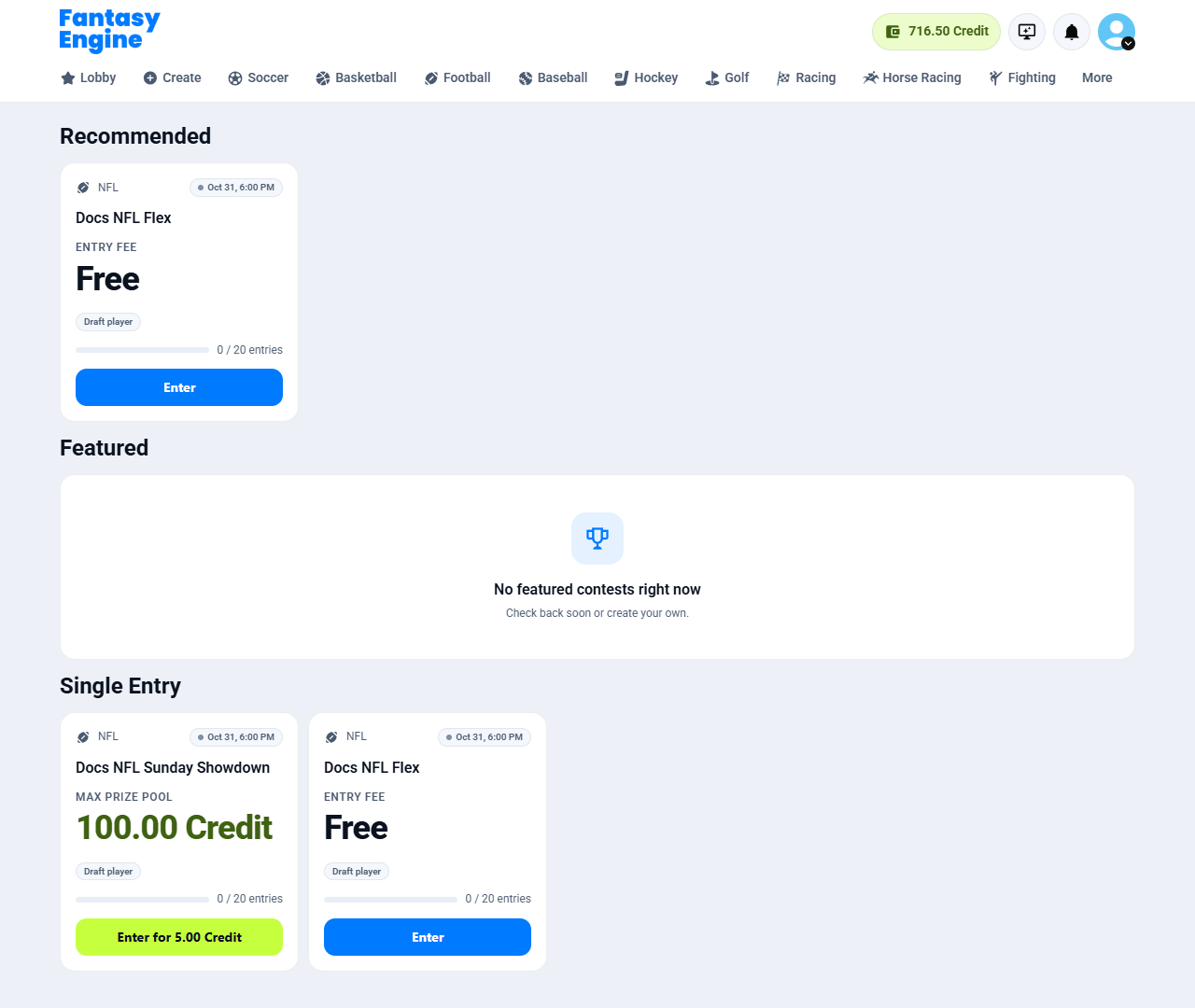
- Top bar: the balance (opens the wallet; on a computer "30.00 Credit", from 1,000 shortened to "1.03K Credit", on a phone the figure and the wallet icon; Back then returns to the page you were on), the bell with the number of unread notifications, the avatar menu (the member's profile and account pages, sign out, and the footer links).
- Main menu (computer): Lobby, Create, each sport with its leagues, and under More what does not fit, such as How to play. Create is hidden while the site does not let members create contests.
- Footer: Terms of Service, Privacy Policy, About us, Help, Contact us, and the language.
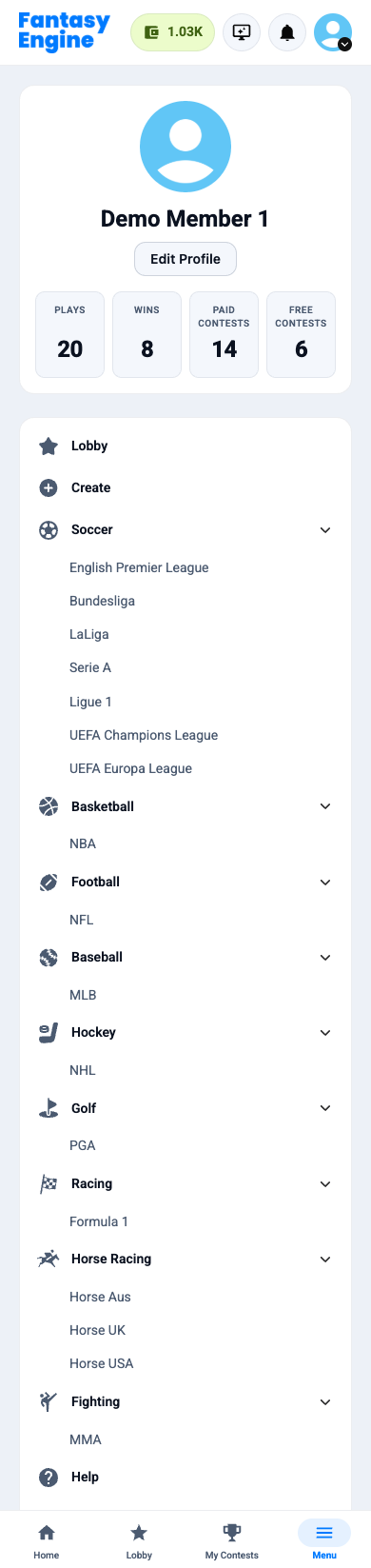
- Phone (web and apps): a bottom bar Home, Lobby, My Contests, Menu. The Menu tab shows the member's card (plays, wins, paid and free contests) and the site's mobile menu: Lobby, Create, the sports and leagues, Help and How to play. A visitor who is not signed in sees the sign-in instead.
- Where to press: a menu item opens from anywhere on it, not only on its text - the items of the main menu and of its drop-downs (More, a sport's leagues), the rows of the Menu tab (icon, name or the empty space to the right), the balance pill and the bell. On the Menu tab a sport with leagues opens and closes its list of leagues instead.
- Phone browser: a page opened from another page (a contest, the wallet, an entry ...) has a Back row under the top bar and keeps the bottom bar; a page opened straight from a link shows Home instead of Back.
- Messages ("Link copied" ...) appear above the bottom bar on a phone browser and at the top right, under the balance and bell, on a computer.
Lobby#
Last updated: 2026-10-29 · v1.0.0
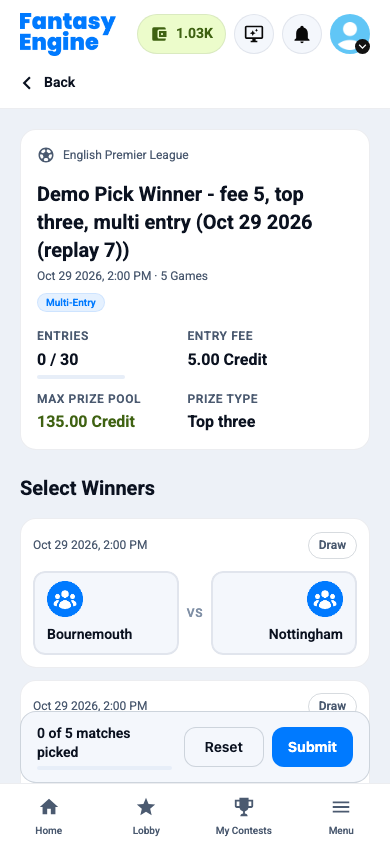
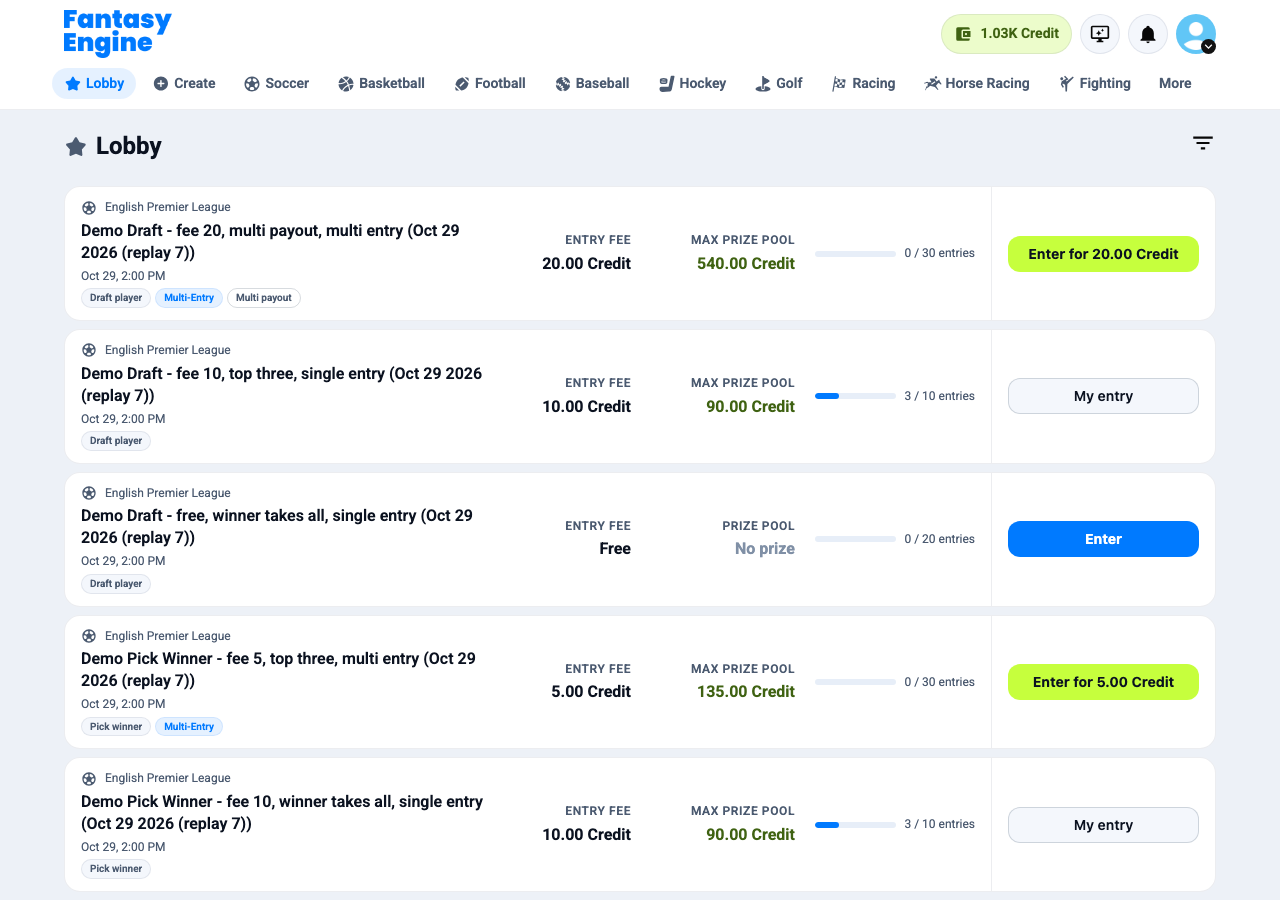
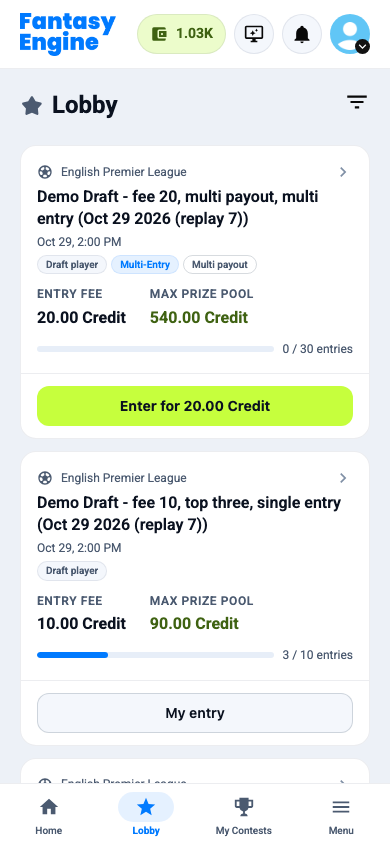
Lobby lists every open contest; a sport or a league in the menu opens the lobby of that league. Each row shows the league, name, start, game type and entry chips (Multi-Entry, Multi payout), Entry fee (or Free), Max prize pool (or No prize) and the seats taken ("0 / 30 entries"). The whole row is one press area: it opens the contest's page (on a computer in a window over the lobby). Beside it is at most one button: Enter for 20.00 Credit (Enter when free), My entry when the member already holds the only entry of a single-entry contest, and none when the contest is full. Invite is on the contest's page and on the entry.
On a paid contest Enter first checks the balance: with too little, a window "Not enough credits" says "The entry fee is 5.00 Credit. Your balance is 0.00 Credit." with Cancel and Add Credits (which opens the wallet's Add Credits) (Enter).
The filter button (top right) opens Filter Contests: a keyword, the entry fee range, the game type and the prize type; Search applies, Clear resets. Contests that have started, contests whose games were all postponed or cancelled, and contests of an event the site set inactive are not listed. An empty list says "There are no open contests right now. Check back soon or create your own." with a Create a contest button, or "... Check back soon." without the button where members cannot create a contest (the setting is off, or the league offers no game type).
How to play and Help#
Last updated: 2026-11-05 · v1.0.0
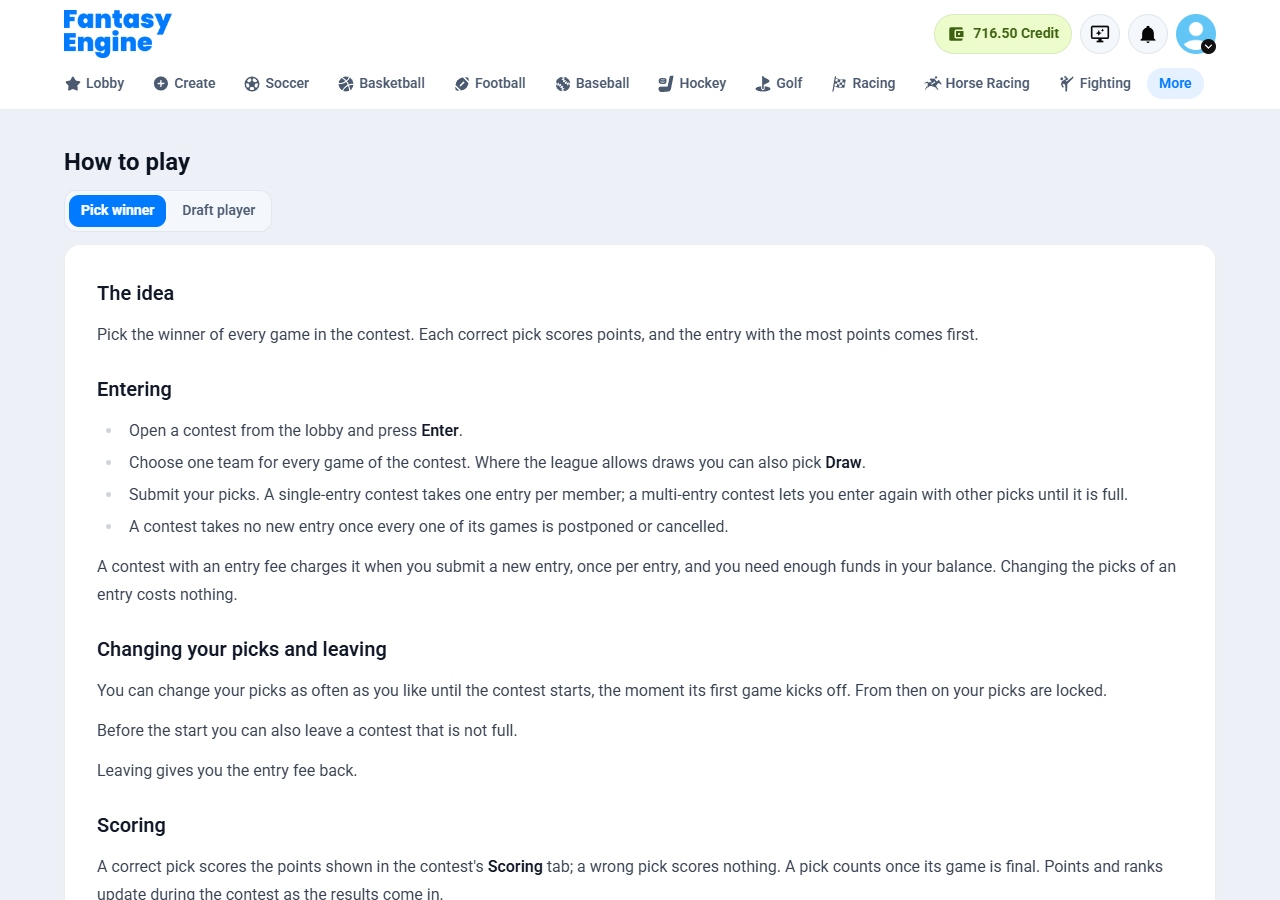
How to play (main menu, or More; the Menu tab on a phone) has one tab per game - Pick winner, Draft player - with the idea, entering, changing picks and leaving, scoring, postponed games, ties, results and prizes. The Draft player tab also says, under the salary cap, that salaries are live until the contest starts: an entry stays in as it is, but a changed lineup is saved only when it fits the cap at the salaries of that moment. The same text is the Rules tab of each contest of that game.
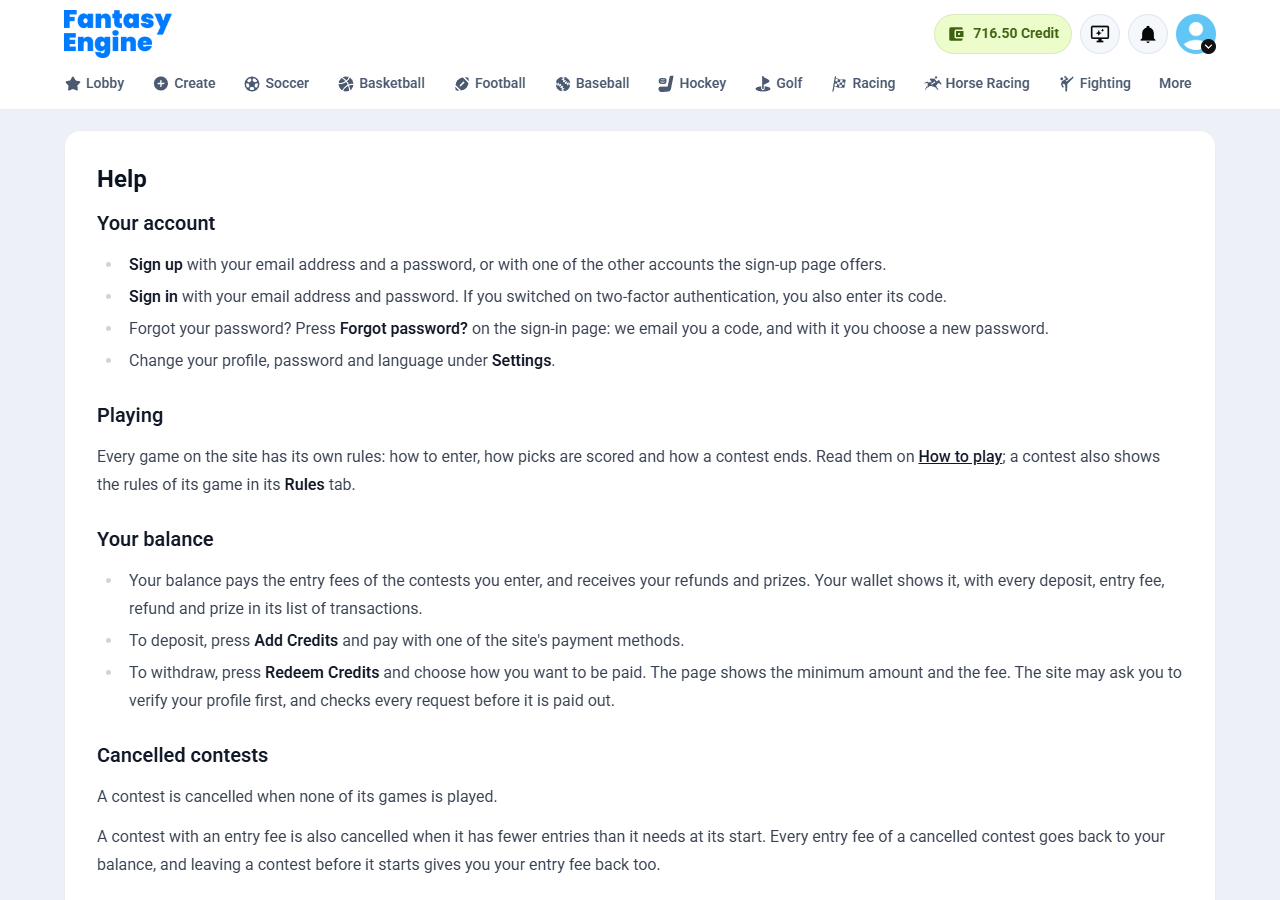
Help (footer; the Menu tab on a phone) answers questions about the site: account, playing, balance, cancelled contests, results and stat corrections, contact.
Change log#
Last updated: 2026-11-19 · v1.0.0
| Date (GMT+7) | Section | What changed |
|---|---|---|
| 2026-10-28 | all | First version, checked against daily-fantasy 7b8ff49; screenshots of the local demo site (AdminCP 1280, web app 1280 / 390, light). |
| 2026-10-28 | contest-results, how-to-play, site-settings | Shots renamed after the section that shows them: contest-results__contest-result, how-to-play__help; the Fantasy Engine settings card is shared with the install guide and keeps its first section's name, first-settings__fantasy-engine-settings. |
| 2026-10-29 | app-home, lobby, contest-detail, create-contest | Landing copy and Login link; cards and lobby rows as one press area with one button (Enter for <fee> / My entry / none when full); Back row and bottom bar on a phone browser; message placement; contest state chips and the reason instead of Enter; Max prize pool / Prize pool / No prize; full team names; share link opens the contest page; invite e-mail text; create limits and refusals. Shots re-taken (home, lobby 1280 / 390, the four contest tabs, create) and new (landing, pushed screen 390, cancelled contest). |
| 2026-10-29 | sports-leagues, teams-players, app-home | Corrections: a refused Players sheet of a league import leaves the other sheets saved; For player / For team of a fed scoring category are the feed's; the top-bar balance from 1,000 reads "1.03K Credit". |
| 2026-10-29 | landing-page (new), app-home, sports-leagues, guide-overview | Checked against daily-fantasy 7b13a85: the AdminCP Landing Page screen (website / mobile background, sizes, 50 MP limit lowered on a small server, one picture for both, Remove with its confirmation, permission); the landing on a neutral gradient, centred, with the strip of active sports and an uploaded photo under a dark layer; a Translate rename shows at once; the menu item. Shots: landing 1280 / 390 re-taken from the web build (the soccer photo is gone), new landing with an upload 1280 / 390 and two admin shots (a test picture uploaded and removed again). |
| 2026-10-29 | app-home, landing-page (removed), guide-overview | The final landing look (gradient with glows, "Already have an account? Login" at the top right, centred text, two-line headline, Join Now, sports strip, a top as tall as its content) and the figures card (contests this week, members, prizes paid; when a figure hides; up to an hour old). The AdminCP Landing Page screen and its background upload were removed: section, menu item, permission and their shots deleted. Landing shots re-taken (1280 / 390, light). |
| 2026-10-30 | app-home, how-to-play, notifications | A free contest card shows Entry Fee Free in the place of the prize pool and keeps the seats bar (a greyed Full on a full card); white status-bar icons over the landing in the apps; the admins' withdrawal / verification notices open the AdminCP list. Home re-shot (paid and free card side by side), How to play and Help re-shot (full-width layout). The sections guide-overview, events, data-feed and app-home re-checked against daily-fantasy 5daa011. |
| 2026-11-04 | app-home, live-results | Home: placeholders only on the first visit, the contests of the last visit shown at once on a return; standings: polling ends once the page sees the contest complete. Checked against bd2f162. |
| 2026-11-05 | app-home | Menu items, drop-down rows, Menu tab rows, the balance pill and the bell open from anywhere on the item. |
| 2026-11-05 | how-to-play, data-feed | How to play, Draft player tab: the line that salaries are live until the contest starts (2026-11-04 page text). Sync data keeps the translations of position and scoring category names made with Translate (2026-11-04). |
| 2026-11-16 | all, change-log | This copy of the guide describes version 1.0.0 (a separate copy describes 1.1.0). Internal labels taken out of older rows and the page-source comment; wording only, those Last updated lines stay. |
| 2026-11-19 | all | Moved to the documentation site: this page holds the sections app-home, lobby, how-to-play of the former single-page user guide. Page frame, headings and links between the pages updated; the text of the sections is unchanged. |