Fantasy Engine user guide 1.0.0 / For members
A contest's page
What a contest's page shows, and how a member creates a contest.
A contest's page#
Last updated: 2026-11-05 · v1.0.0
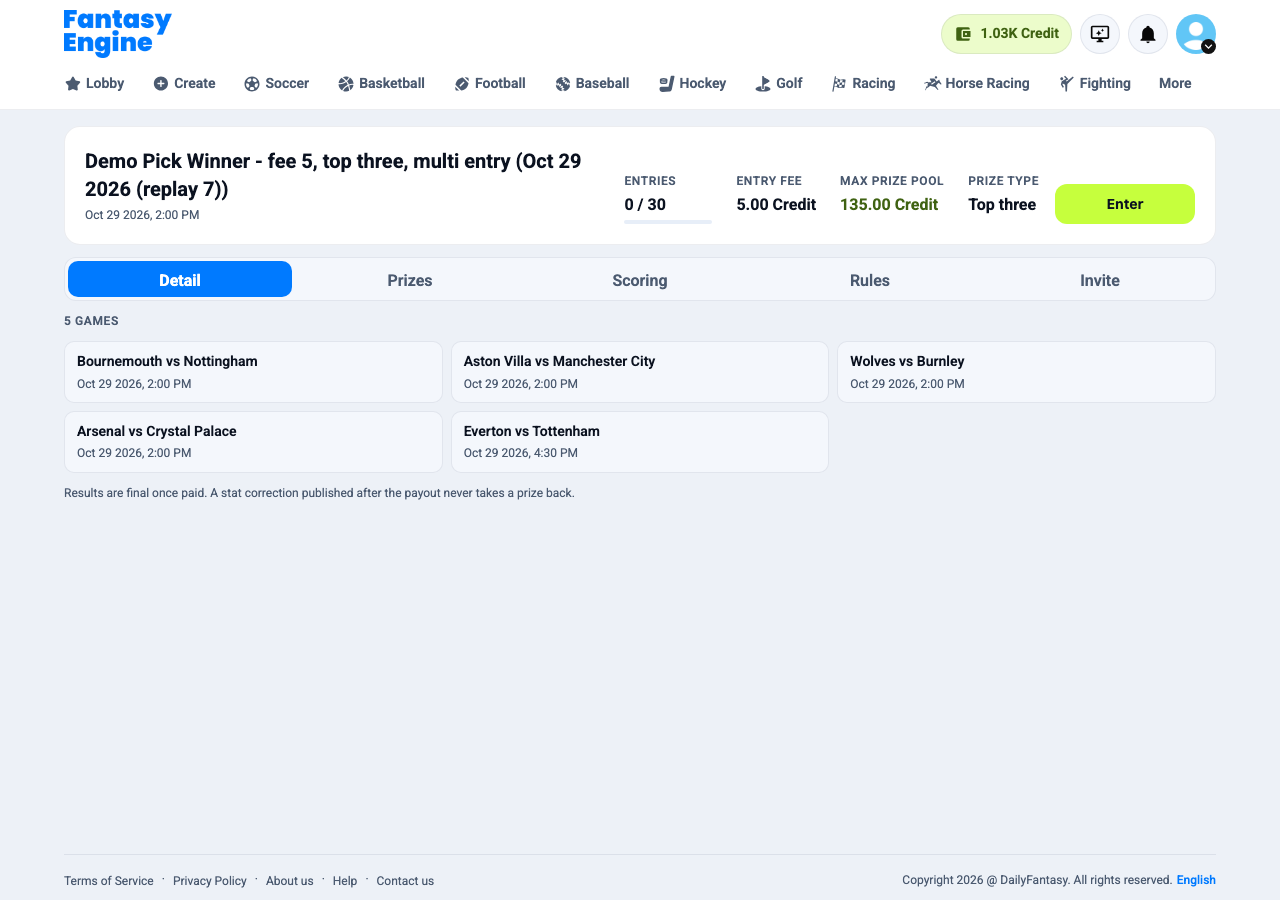
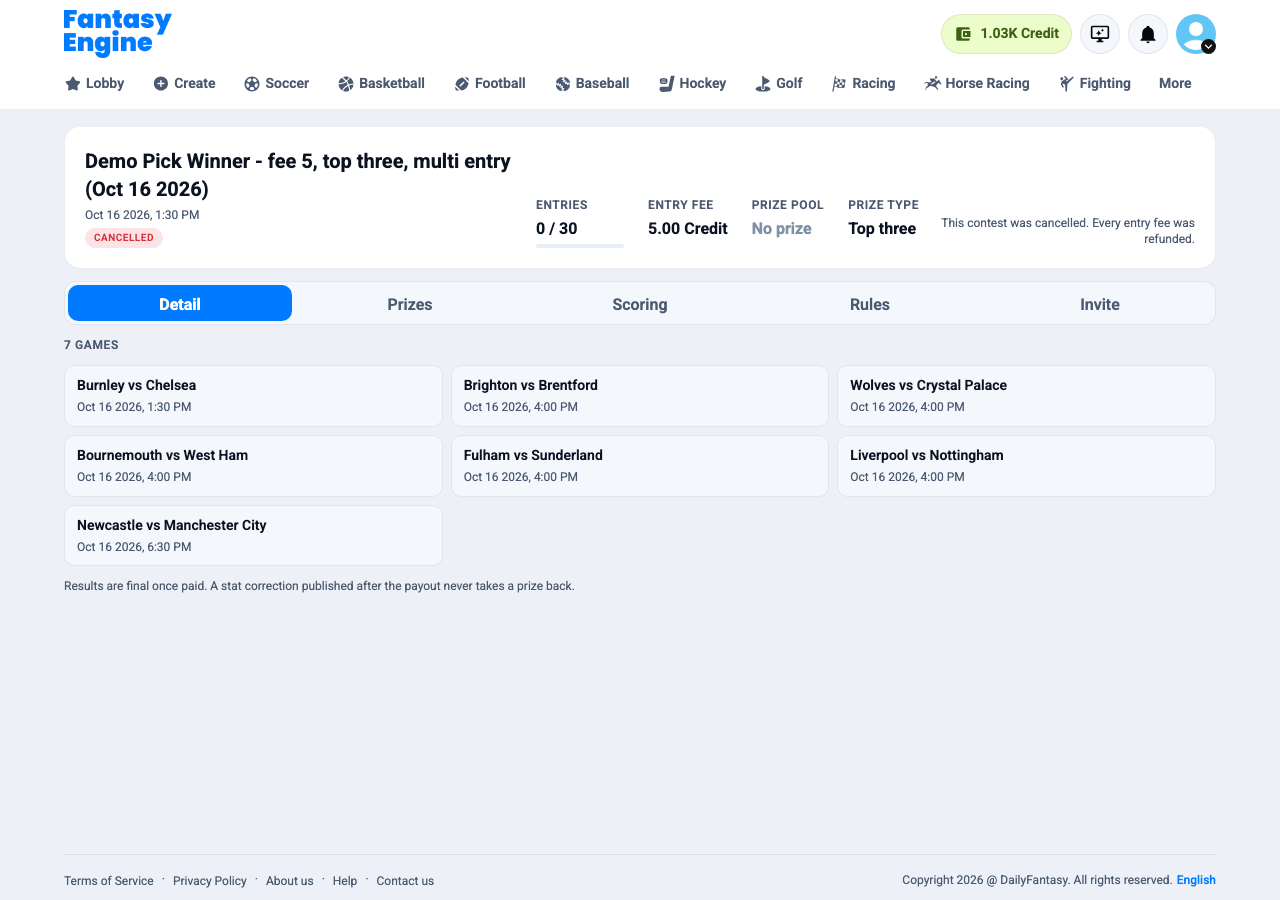
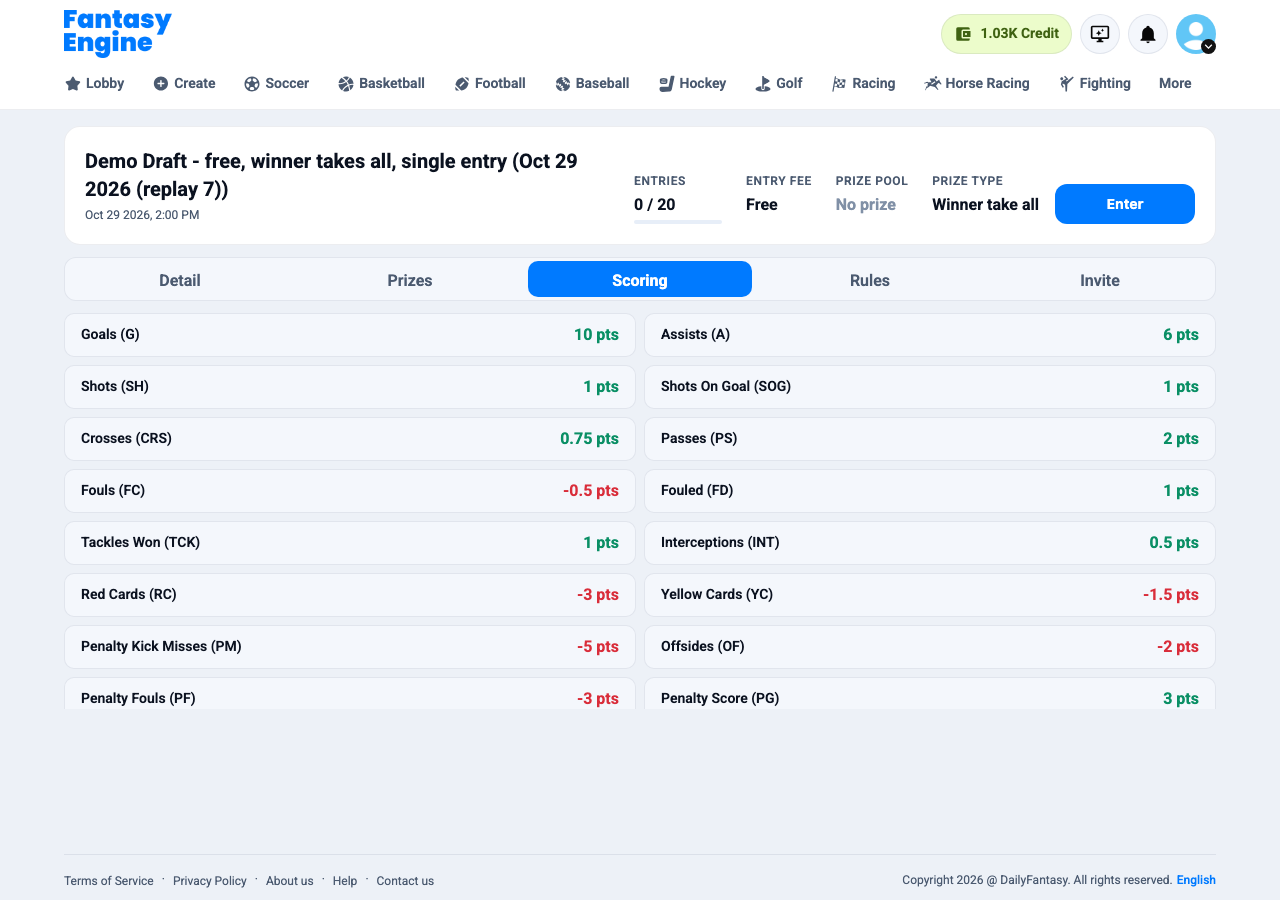
Press a contest's row (lobby, home) or open its shared link. The head shows the name, the start with the number of games that will be played (a postponed or canceled game is not counted; the Detail tab still lists it), its state chip once it is not open any more (Live, Results pending review, Completed, Cancelled), Entries (taken / size), Entry fee, the prize pool, Prize type and Enter.
| Prize pool label | When |
|---|---|
| Max prize pool | the contest is open: the pool if every seat is taken |
| Prize pool | live, complete or cancelled: the pool of the entries that really paid |
| No prize | a free contest, or a pool of 0 (a cancelled contest: the fees were refunded) |
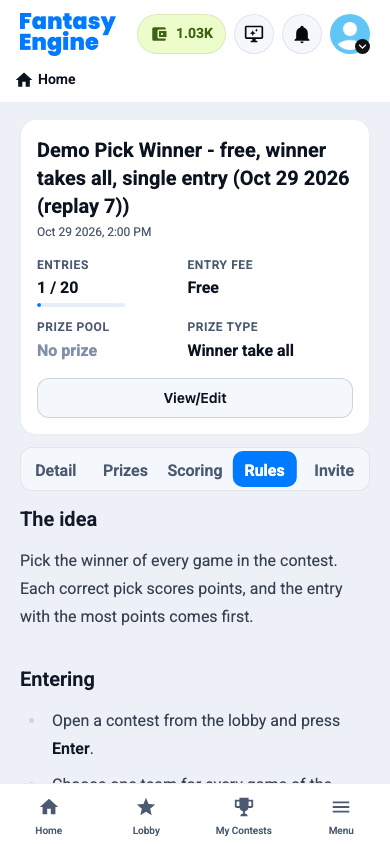
Where Enter is missing the head says why: "This contest was cancelled. Every entry fee was refunded." (a free one: "This contest was cancelled."), "This contest is over.", "This contest is live: entries are closed.", "This contest is full." or "Entries are closed.". A member who already holds his single entry sees View/Edit.
Below, five tabs:
| Tab | Shows |
|---|---|
| Detail | the games with their full team names ("Aston Villa vs Manchester City") and kick-off (TBA when not announced), and the rule "Results are final once paid. A stat correction published after the payout never takes a prize back." |
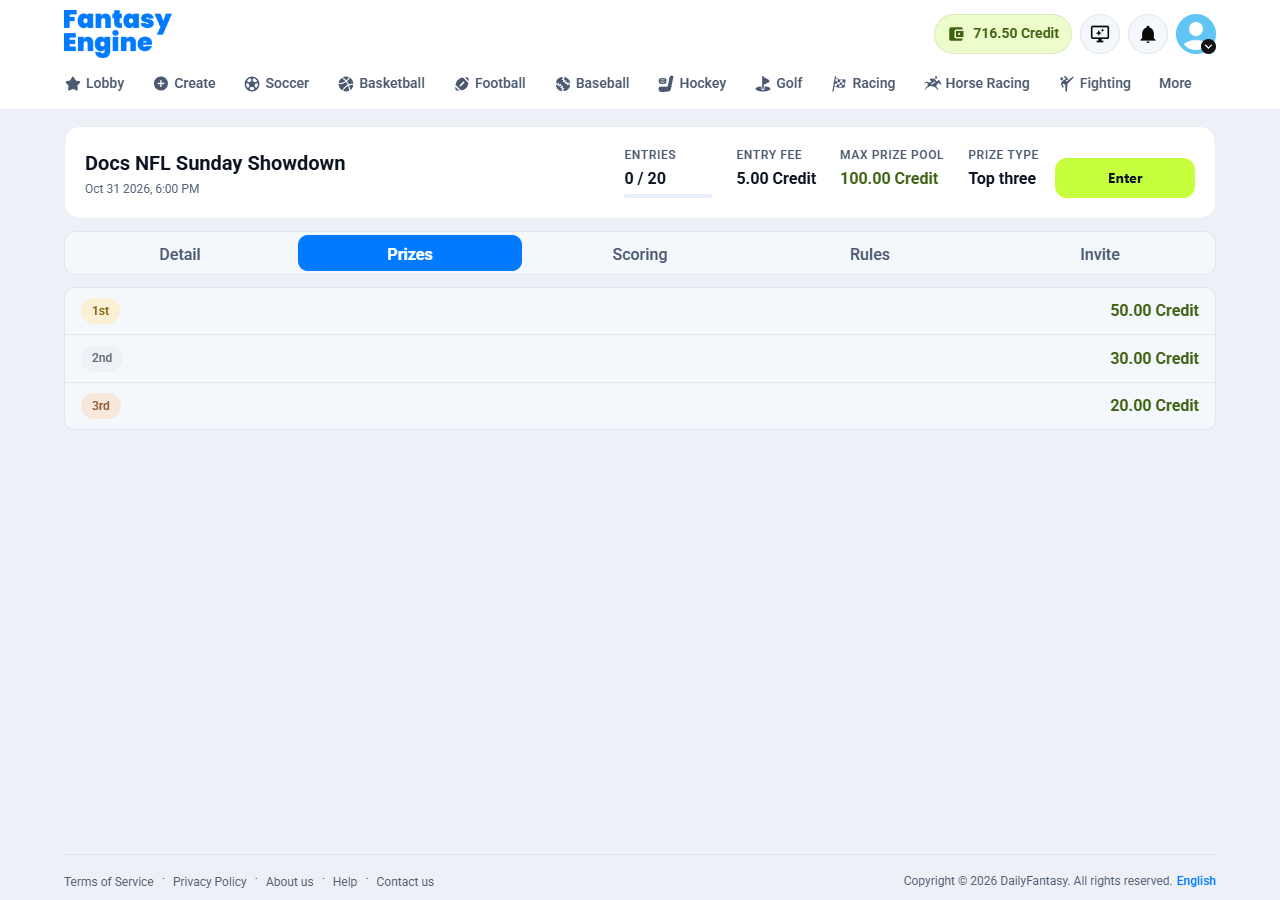
| Prizes | what each place wins (1st, 2nd ...), in credits: of a full contest while it is open, of the real pool once it started |
| Scoring | pick winner: the points of a correct pick; draft: the scoring categories and their points |
| Rules | the How to play page of the contest's game, with a link "How to play every game" |
| Invite | the contest's link (Copy Link; it opens this page) and an e-mail invitation to up to 10 addresses with a message. The e-mail reads "<your name> has invited you to play the contest "<contest>"." with your message and a link to join. |
Create a contest#
Last updated: 2026-11-16 · v1.0.0
Create in the menu (signed-in members, while the site lets members create contests):
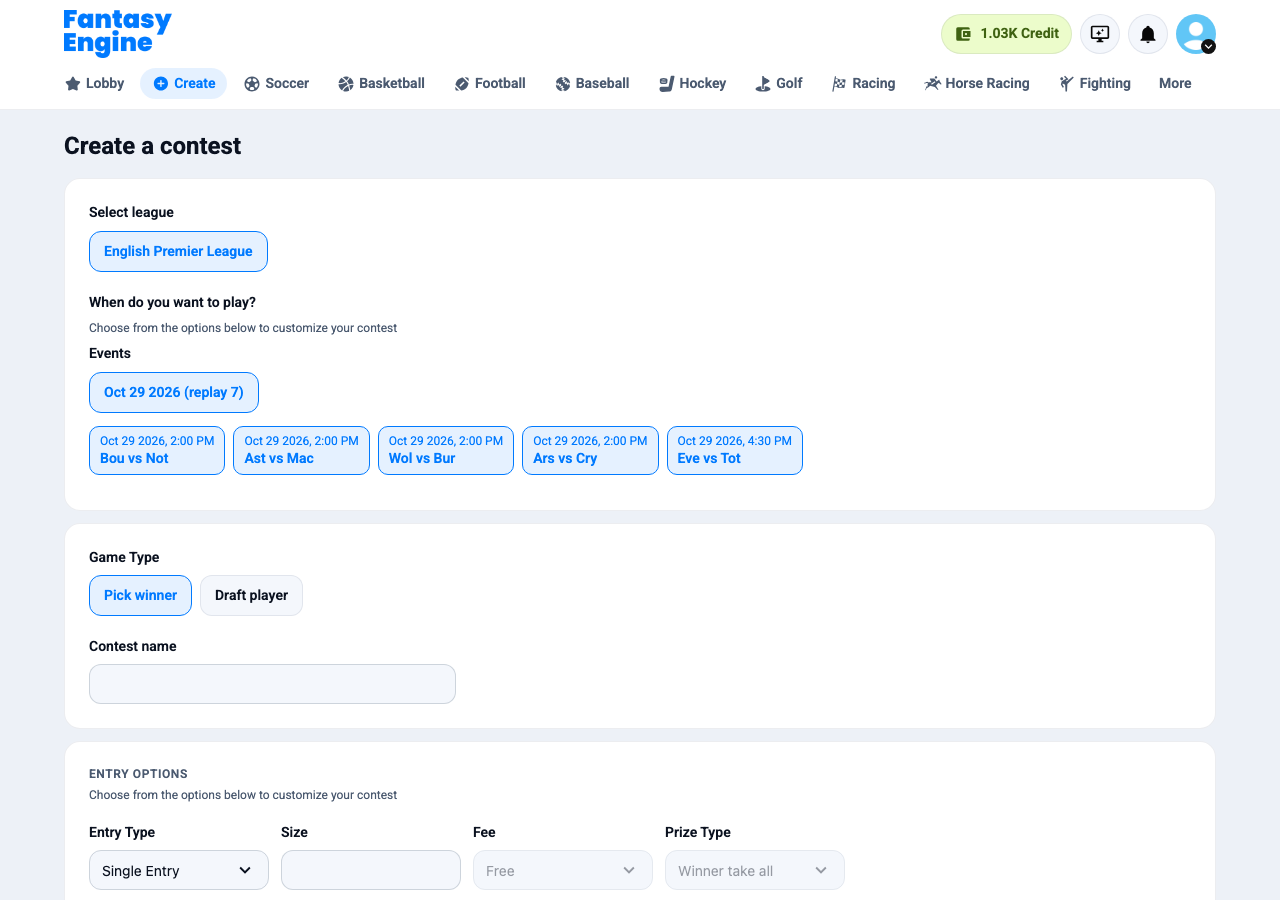
- Select league (only leagues that offer a game type are listed), then under When do you want to play? the event: only rounds still to come are listed, a round with a game whose kick-off time is known and still ahead (a round leaves the list at its last kick-off, and a league with no such round is not listed). A game whose kick-off has passed is not offered, also while its status still says it is scheduled. Its games are all selected; press a game to leave it out. A game whose time is not announced is shown dimmed with TBA and cannot be chosen.
- Game Type (Pick winner / Draft player, as the league offers) and Contest name.
- Entry Options: Entry Type (Single / Multi Entry), Size (2 to 10,000), then Fee (from the site's list; opens once a size is typed) and, for a paid contest, Prize Type (Winner take all, Top three, Multi payout with its table of places and percentages totalling 100).
- Create Contest: "Contest has been created." and the lobby opens. The creator enters it like anybody else.
A member may have at most 10 contests he created open at once (not started or live) and create at most 5 in 24 hours (the site's settings; cancelled ones count). Over a limit, or while the site turned member contests off, the page shows the reason in place of the form ("You can have at most 10 open contests that you created. You can create a new one when one of them is over.", "You can create at most 5 contests a day. Please try again later.", "Creating contests is turned off on this site.") with Go to Lobby. A contest that nobody entered is cancelled at its start.
Change log#
Last updated: 2026-11-19 · v1.0.0
| Date (GMT+7) | Section | What changed |
|---|---|---|
| 2026-10-28 | all | First version, checked against daily-fantasy 7b8ff49; screenshots of the local demo site (AdminCP 1280, web app 1280 / 390, light). |
| 2026-10-29 | app-home, lobby, contest-detail, create-contest | Landing copy and Login link; cards and lobby rows as one press area with one button (Enter for <fee> / My entry / none when full); Back row and bottom bar on a phone browser; message placement; contest state chips and the reason instead of Enter; Max prize pool / Prize pool / No prize; full team names; share link opens the contest page; invite e-mail text; create limits and refusals. Shots re-taken (home, lobby 1280 / 390, the four contest tabs, create) and new (landing, pushed screen 390, cancelled contest). |
| 2026-10-30 | enter-pick-winner, contest-detail | A contest the site cancelled before its start offers no Enter and refuses an entry ("This contest has been cancelled."); the member who takes the last seat opens and changes his entry. Prizes tab re-shot (the table now spans the page). |
| 2026-11-05 | enter-pick-winner, contest-detail | The head counts only the games that will be played (a postponed or canceled game is not counted; the Detail tab still lists it). |
| 2026-11-16 | contests-admin, create-contest | Checked against 3e10186: the create lists (AdminCP and app) never offer a game whose kick-off has passed, a round with no game still to start or a league with no such round, also while the scheduler has not marked the game started; saving an AdminCP contest whose start time or first kick-off has passed is refused with "Only a contest that has not started can be changed."; the Edit page still opens. Text only. |
| 2026-11-16 | all, change-log | This copy of the guide describes version 1.0.0 (a separate copy describes 1.1.0). Internal labels taken out of older rows and the page-source comment; wording only, those Last updated lines stay. |
| 2026-11-19 | all | Moved to the documentation site: this page holds the sections contest-detail, create-contest of the former single-page user guide. Page frame, headings and links between the pages updated; the text of the sections is unchanged. |