Fantasy Engine user guide 1.1.0 / Getting started
Upgrade
For the developer / QC team that brings a running site to a newer package: backup, files, the update command or wizard, caches and checks.
Version numbers#
Last updated: 2026-11-25 · v1.1.0
The product has one version for everything it contains:
| Where | What it says |
|---|---|
public/version.txt | the version of the files on disk (one line, e.g. 1.0.0) |
setting site.version | the version the database was last brought to; the AdminCP footer prints it as Current Version |
table packages | one row per package (core, wallet, gateway, user_verify, daily_fantasy), each at the product version after an update |
resources/expo/app.json version | the version of the mobile apps - separate; it changes when a new app build is published (Build the apps) |
An update is due when version.txt differs from site.version. The AdminCP upgrade page
exists only in that state; when both match it sends you to the home page.
Before 1.0.0 was released (2026-11-09), the work of 2026-10-27 / 28 (data-feed client, settle delay, late
corrections and re-settle, How to play pages, Help in the footer, league name fixes) and of 2026-10-29 (member contest
limits, TBA kick-offs, admin-disabled players, injury status, the lineup stored on a contest, NHL shutouts, invite
mail text, the NFL Flex lineup slot) was added to 1.0.0 itself: version.txt stayed 1.0.0,
and 14 migrations of that work are named shaun_df_1_0_0_*.
A site installed from the released 1.0.0 package has everything. A site installed before these changes
(a stage, test or demo site) was already at 1.0.0, so the update alone does not bring it up to date: it needs the
command line and the one-off steps of Update a 1.0.0 site installed before 2026-10-30.
Since the release every change ships under a new version number (1.1.0 is the first).
Verified on 2026-10-22 on a test install of the 1.0.0 standard package: the stored version was set back to 0.9.9 and brought to 1.0.0 once with the AdminCP wizard and once with shaun_core:update.
What an update runs#
Last updated: 2026-11-25 · v1.1.0
php artisan shaun_core:update and the AdminCP wizard (open to super administrators only) do the same six
things:
- Migrations - core, wallet, then every package (
migrate --force). A migration is never edited after it shipped: an update only adds new ones, named with the version they ship in (shaun_<package>_<x_y_z>_modify_table_<name>.php). - Data steps - each package's seeder runs only the steps newer than the version its
packagesrow records (core and wallet first), then raises the row. A fresh install and an update end on the same rows. With them the update writes again the filestorage/app/public/.htaccessthat keeps uploads from being run as scripts on Apache (install guide, Apache, Uploaded files). - Version -
site.version= the content ofpublic/version.txt. - Language strings - for every language, the keys of
lang/install.jsonandpublic/locales/install.jsonthat its files lack are added tolang/<code>.jsonandpublic/locales/<code>.json. Existing translations are never overwritten; a new string appears in English until you translate it (AdminCP → Language). - Caches - the cache store is flushed,
config:clear,route:clear,view:clear, and the client cache number goes up, so browsers and apps fetch the language files again. A site that caches its configuration runsphp artisan optimizeagain afterwards (After the update). - Web app base path - the site writes its own path (from the Site url) into the new web
build. A site at a domain root writes nothing; a site in a sub-folder prints
Web app base path /<folder> written.Ifpublic/_expois not writable the command ends with "The web app could not be set up for the site url: ... Fix it, then run php artisan shaun_core:web_base." (exit 1; the database part is already done).
The command line runs steps 1-6 whatever site.version says (pending migrations of the same version
too); the wizard opens only when the versions differ. On a database that was never installed (no
site.title setting) the command does nothing, prints "The site is not installed (no site.title setting):
run the installer first (the web installer or php artisan shaun_core:install)." and exits with code 1.
One run at a time. The command, the AdminCP wizard and the installers of the same copy of the
site share one lock (a file in storage/framework, freed when the run ends, also after a crash). While
one runs, shaun_core:update prints "Another install or update is running on this site: wait for it to
finish, then run the update again." and exits with code 1, and the wizard shows "An upgrade is already running on
this site. Wait a few minutes for it to finish, then reload the AdminCP."; nothing of the second run is done.
Both paths stop at the first failed migration or data step (any error, also a PHP error inside a step) and leave site.version where it was, so
the update can simply be run again once the cause is fixed. shaun_core:update prints the migration log
and then The update failed: <reason> and exits with code 1; on success it ends with
Updated to version <x.y.z>. and exit code 0. The AdminCP wizard shows "An error has occurred!"
with the log.
Run on a test install of the 9c4fba6 on 2026-10-22: with a migration that throws, the command printed the failing migration with FAIL and "The update failed: ..." with the reason, exit 1, site.version stayed 0.9.9; without it "Updated to version 1.0.0.", exit 0, site.version 1.0.0 (tests/Feature/Core/Console/InstallUpdateGateTest.php). Run on the dev site of the 7b8ff49 on 2026-10-28 (a root site, nothing pending): "Nothing to migrate.", "Updated to version 1.0.0.", exit 0.
Back up first#
Last updated: 2026-11-25 · v1.1.0
- Optional: put the site in maintenance mode - AdminCP → Site Settings → Site Information → Maintenance mode = Offline, with a Maintenance mode Code. Switch it back to Online at the end.
- Database:
mysqldump --single-transaction --routines --triggers -u fantasyengine -p fantasyengine > fantasyengine-$(date +%F).sql - Files that are not in the package and must survive:
Path Holds .envyour configuration and APP_KEY(without it passwords and encrypted values are lost)firebase.jsonthe Firebase service account (push) storage/uploads ( storage/app/public,storage/app/private) and logslang/<code>.json,public/locales/<code>.jsonyour languages and translations (the package ships only install.json)anything you changed in the code a package update replaces the files tar czf fantasyengine-files-$(date +%F).tgz .env firebase.json storage lang public/locales
Upgrading 1.0.x to 1.1.0#
Last updated: 2026-11-25 · v1.1.0
For a site on 1.0.0 (or a later 1.0.x fix release). 1.1.0 needs no database step by hand: the update command or the AdminCP wizard runs its migrations and data steps, and a second run changes nothing.
Only for a site that
offers Sign in with Apple. Before you update, open AdminCP → Site Settings → Manage OpenID, edit the Apple provider and
check that Server is set to exactly https://appleid.apple.com; correct it and save if it is
not. From 1.1.0 the site checks Apple's sign-in token against that address (the issuer of the token and the signing keys
Apple publishes there): a Server that does not lead there makes every Apple sign-in end on a 400 error page
(user guide, Sign-in security). A provider you added by hand must
send back the one-time value of the sign-in (the nonce) in its token; Google, Apple and Microsoft do.
- Back up the database and the files (Back up first).
- Copy the new files as in Update from a new sale package, steps 1-3, with
fantasyengine-1.1.0.zip(orfantasyengine-full-1.1.0.zip). In step 2 also delete the files of the 1.0.0 web build that 1.1.0 no longer installs (the page now links/manifest.webmanifest, built from the AdminCP Site title; a leftmanifest.jsonis no longer linked, but the web server would still serve it):
The last line removes the AdminCP text editor of 1.0.0 (TinyMCE 5): 1.1.0 brings TinyMCE 6 in the same folder, and the copy puts its files there; without the removal the old plugin files stay beside them, unused. If you removed it after the copy, copy that folder of the package again. With the full package, the copy puts the package's samples over your app files: keep yours withcd /var/www/fantasyengine rm -rf public/_expo public/assets rm -f public/manifest.json public/logo192.png public/logo512.png rm -rf public/admin/js/lib/tinymce--exclude='.env.production' --exclude='google-services.json' --exclude='GoogleService-Info.plist' --exclude='eas.json'on thersyncline (the--exclude='.env'already there keepsresources/expo/.envtoo). Files of the code removed in 1.1.0 (in-app purchase) stay in the folder after a copy over the site; nothing loads them. - Run the update from the command line, or open the AdminCP wizard signed in as a super administrator
(
/admin/upgrade: it opens becauseversion.txtsays 1.1.0 and the site 1.0.0; for any other AdminCP account it answers an error page, 401):
Expected: the 1.1.0 migrations, then "Updated to version 1.1.0." and 0 pendingphp artisan shaun_core:update && php artisan migrate:status | grep -c Pending
The update clears the caches itself; no separateINFO Running migrations. shaun_core_1_1_0_modify_table_code_verifies ................... DONE shaun_core_1_1_0_modify_table_openid_providers ................ DONE shaun_df_1_1_0_create_table_df_contest_round_fixtures ......... DONE ... shaun_df_1_1_0_modify_table_df_rankings_standings ............. DONE Updated to version 1.1.0. 0cache:clearis needed. A browser that still shows the old AdminCP editor shows the new one after one reload of the page. - Required for a site behind Cloudflare, another CDN, a load balancer or a reverse proxy on another
host (skip it only when visitors reach your web server directly): set
TRUSTED_PROXIESin.envto the addresses or ranges of those proxies, comma separated, andTRUSTED_PROXY_HEADERto the header the proxy writes with the visitor's address (install guide, .env keys). Behind Cloudflare: its published IP ranges andcf-connecting-ip:
Behind your own nginx or load balancer: its address and the default headerTRUSTED_PROXIES=203.0.113.0/24,198.51.100.0/24 TRUSTED_PROXY_HEADER=cf-connecting-ipx-forwarded-for(the line can be left out). Then runphp artisan config:clear. Why: since 1.1.0 every per-visitor limit counts on the visitor's address, and the site takes that address from a header only when the request comes from a trusted proxy. The limits are the member login and the AdminCP login brakes, the password-reset mails (20 an hour per address) and code checks, the contact form, and the lobby searches of a visitor who is not signed in (a word in the search box or a filter: game type, prize type, entry fee; 120 a minute per address; opening the lobby, a contest page or How to play is not counted, and signed-in members are not limited). Without these keys the site sees every visitor at the proxy's address, so all visitors share each count: together they get 120 searches a minute and then "Too many requests. Please try again in n seconds." (HTTP 429) instead of the search results. The same holds for the guest forms of the web pages (the AdminCP login and two-step forms: 300 a minute per address), the social sign-in address (60 requests a minute) and the PayPal / Stripe webhooks (120 deliveries a minute per sender address); opening a page is never counted. A proxy that reaches the site from a private or local address (a reverse proxy on the same host or network, a load balancer, a container ingress) is recognised: the site then does not count the web forms and the social sign-in of that address (the PayPal / Stripe webhooks keep one count of 120 a minute shared by all senders, a delivery refused past it being sent again by the gateway, and the requests of visitors who are not signed in to the app's API one count of 300 a minute shared by all of them) and writes "... set TRUSTED_PROXIES ..." to AdminCP → System Setting → System Log once an hour; a CDN on public addresses such as Cloudflare is not recognised.*trusts whoever connects: any caller that reaches the web server directly can then name its own address and get a fresh count with every request. Use it only when the web server accepts connections from the proxy alone, and prefer the address ranges. - Restart PHP-FPM (and the queue worker / Reverb if they run), as in step 5 of the package update.
- With the data feed, read the fixtures once so that Survivor can start at once (see below):
php artisan shaun_daily_fantasy:crawl_schedule - Build and publish the 1.1.0 Android and iOS apps (full package; Build the apps), with a
higher
versioninresources/expo/app.json, and add or raiseandroid.versionCode/ios.buildNumberthere (the shippedapp.jsonhas neither;app.config.jsdoes not set them). The web app is already new (it comes with the package). - Payments started before the update. From 1.1.0 the site credits a PayPal or Stripe payment only
when it carries this site's mark (below); a checkout opened before the update has none.
Stripe: such a checkout paid after the update is charged by Stripe but not credited. PayPal:
such a checkout approved after the update is not captured, so PayPal takes no money and the member deposits again; a
PayPal payment that was still clearing at the update (eCheck) and clears after it is charged but not credited. For each
payment charged and not credited the site writes a warning to AdminCP → System Setting → System Log ("A gateway payment
without the mark of this site names a deposit of this site that is not paid yet: not credited. Check it at the gateway
and credit it by hand if it is this site's.", with the gateway, the order, the member's id and the amount). Look at the System Log for a
day after the update; check each such payment at PayPal or Stripe and credit the member with AdminCP → eWallet →
Transfer Mass Funds. Updating at a quiet hour keeps their number low. The old monthly gateway log files
storage/logs/gateway/paypal-YYYY-MM.logandstorage/logs/gateway/stripe-YYYY-MM.logare no longer written or cleaned up: delete them once. - Only for a site that sends SMS with Clickatell (two-step codes by SMS): 1.1.0 sends through the Clickatell REST API, which takes the API key of a REST integration; the key of an HTTP integration, which 1.0.0 used, is refused, so no SMS leaves. In the Clickatell portal create an integration of the REST type, then paste its API key in AdminCP → Site Settings → Manage Sms Providers → Edit on the Clickatell row, save, and send a message with Test on the same row.
- On nginx: add the
/storage/block of the install guide (nginx) to the site's server block and reload nginx. A menu icon or a GIF picture uploaded before the update is not checked again; the block keeps such a file from being run or opened as a page of the site. On Apache the update writes the matching file itself (Apache, Uploaded files).
What the update changes#
| Area | What happens on an updated site |
|---|---|
| New game types | Confidence pick'em, Score predictor, Showdown, Tiers, Survivor and Margin pick'em, each offered by the leagues it suits (user guide; Margin pick'em only in the soccer leagues, NFL, NBA, MLB and NHL of the data feed). The update adds their six How to play pages to AdminCP → Static Page → Manage Static Pages (only pages the site does not have yet, by their address; nothing you wrote is touched). The Draft player page gets the 1.1.0 text (a player's salary is fixed when he joins a lineup) only while it still holds the 1.0.0 default text, in each language. The same holds for the Pick winner page, which gets a line about penalties: in soccer the result is the score after extra time, so a knockout game decided on penalties counts as a draw (a Draw pick is correct, a pick of the team that won the shoot-out is not). A page you edited is left as you wrote it. |
| Penalties and shoot-outs | Unchanged rule, now said on the pages: a soccer game decided on penalties is a draw for Pick winner, Confidence pick'em, Survivor (the entry is out) and Margin pick'em; an ice hockey shoot-out counts as one goal for its winner. The league form says it under Allow draw, and the result form of a league that allows draws says "In soccer, enter the score after extra time, without the penalty shoot-out: a game decided on penalties is a draw." (user guide, Results). |
| Entries per member | A multi-entry contest now has a limit of entries per member, set when it is created (user guide, Contests). The update adds the setting Max entries per member in a multi-entry contest (Site Settings → General Configuration → Fantasy Engine, 10). Contests created before the update have no limit, the terms they were sold on; auto-contest templates saved before it also have none (0) until you edit them, so their contests keep coming without a limit until then. A member who creates a multi-entry contest in an app built from 1.0.0 (no field for it) gets the site's limit, and that app does not show the limit. |
| Send funds | The role permission Send funds (member to member) is not changed by the update: your roles keep what they had (1.0.0 gave it to members). A new installation of 1.1.0 starts with it off for every role. Untick it in AdminCP → Users → Manage User Roles → Permissions of the role Member if you do not want members to send funds to each other (user guide, Members and their money). Withdrawals keep their own permission, Transfer funds. |
| Golf, Formula 1 and horse racing | Contests of these leagues of the data feed now score the player statistics the feed sends: 1.0.0 stored none for a league without teams, so a Draft player entry there scored only what you entered on the result form yourself. A player of the data feed is now stored once per league: the same feed player in two such leagues (a golfer in two tournaments' leagues, for example) is two players. In 1.0.0 the second league did not get that player, and his results there scored nothing. The update changes a key of the players table for this; it changes no data and there is nothing to do. |
| Results of the data feed | A final the feed sends without a score is no longer stored as a 0-0 final: the game stays in progress, a warning is written to AdminCP → System Setting → System Log ("Daily fantasy stats crawl: the feed sent a final without a score, the fixture stays in progress.") and the game is read again until its score comes. A contest on one event whose games were all called off (postponed or cancelled) is cancelled and refunded at the next run of the scheduler instead of after the league's settle delay. One game or event that fails no longer stops the crawl or the scheduler for the others: the failure is written to the System Log and the rest go on. While a final is held for having no score the game keeps the last score read, and an NFL team defence keeps the points-allowed points of that read. A round or a game whose start time the feed sends unreadable is left out of that read with a System Log warning, and the rest of the league is read. Every fixtures read files its rounds under the season the feed names, so the rounds of a new season go under the new season (a round an earlier read filed under the old season moves with the next read that still lists it). Read the feed again on the Data Feed screen says which games could not be read and why nothing was sent, instead of "Added to job" (user guide, Data feed). |
| Database | New columns and tables for the new game types and for contests played over rounds, the limit of entries per member on contests and auto-contest templates (0 on every existing row), an index for the standings, two indexes on the status of the fixtures (for the scheduler's reads),
and the stored OpenID client secret column accepts an empty value (the AdminCP form still asks for one). The unique key
of a data-feed player in df_players is now league, team and feed id (it was team and feed id), rebuilt in
one statement by the migration shaun_df_1_1_0_modify_table_df_players_unique_league; every stored row
fits the new key, so it cannot fail on existing data. Every contest now stores its salary cap: a contest that stored none
(it used its league's cap until now) takes the cap its league has at the update, 0 when the league is gone. |
| Lineup salaries | From 1.1.0 a player's salary is fixed when he joins a lineup. Picks made before the update have no stored salary and still count at the player's current salary, as in 1.0.0. |
| In-app purchase removed | The settings of store purchases are deleted (Mobile Application → General Configuration: Apple bundle id, Android package name, the card In-App Purchase; eWallet: Accept sandbox and test store purchases). The payment gateways Apple and Google are deleted when no order uses them, otherwise kept switched off and hidden. Members buy credits on the website (PayPal, Stripe). |
| First theme | AdminCP → Site Settings → General Configuration → Login & Registration: the setting is now named Default appearance mode and also sets the theme visitors first see. The update changes it from Light (the 1.0.0 default) to System (follows the device), also when Light was chosen on purpose: set Light again on that screen if you want it. Its name and description are replaced when they are still the 1.0.0 texts. |
| Visitors | While Force Login is off (the default) a visitor who is not signed in can now open the lobby and a contest's page (user guide, Visitors). Switch Force Login on to keep the 1.0.0 behaviour. |
| Notifications | Mark all as read on the notifications page; nothing to set. |
| Installed web app | Its name is the Site title, its icons the files of public/images/manifest/
(Build the apps, web build). |
.env | Two new keys, TRUSTED_PROXIES and TRUSTED_PROXY_HEADER: required for a site behind
Cloudflare, another CDN, a load balancer or a reverse proxy on another host (step 4; install
guide, .env keys). Nothing to add for a site visitors reach directly. New optional keys for the
Content-Security-Policy (CSP_MODE, CSP_SCRIPT_SRC and the others: row below). A site reached over
https only should add SESSION_SECURE_COOKIE=true (the AdminCP session cookie then travels over https only;
a 1.1.0 web install over https writes it); further optional keys with working defaults: LOG_MONTHS,
PUSHER_TIMEOUT, PUSHER_CONNECT_TIMEOUT, FIREBASE_HTTP_CLIENT_TIMEOUT,
FIREBASE_HTTP_CLIENT_CONNECT_TIMEOUT, QUEUE_FAILED_PRUNE_HOURS (install
guide, .env keys). The sample .env_example now holds production values (APP_ENV=production,
LOG_CHANNEL=shaun, LOG_LEVEL=warning, empty database user, mail host and Reverb credentials); the
update never changes your .env. APP_KEY now also makes the mark of
the site's payments: keep it as it is (changing it leaves the payments open at that moment uncredited), and give every
site that shares a PayPal / Stripe account its own key. |
| Payments (PayPal, Stripe) | Every payment carries a mark of this site, made from its APP_KEY.
A payment notice from PayPal or Stripe is credited only when it carries this mark and the amount and currency paid are
the deposit's; anything else credits nothing. A payment of another site on the same PayPal / Stripe account (a stage
or test copy too) is ignored, which is why each such site needs its own APP_KEY. A payment charged for
another amount or currency is written to AdminCP → System Setting → System Log ("A gateway payment was not credited:
the paid amount or currency differs from the order"): check it at the gateway and credit it by hand. A deposit is
credited once even when the gateway sends its notice again, also one the site had already cancelled as abandoned. A
notice to Stripe while Webhook signing secret is empty, or to PayPal while Paypal webhook id is empty,
is refused (the AdminCP → Billings form already requires both). A notice whose signature does not match that secret or
webhook id is answered with an error (HTTP 400, where 1.0.0 answered Stripe with a success and credited nothing), and
AdminCP → System Setting → System Log says which field to check ("Stripe webhook refused: ... Check the signing secret in
the AdminCP.", "PayPal webhook refused: ... Check the webhook id in the AdminCP."): the gateway then sends the notice
again for a while, so a deposit whose notice comes again after you corrected the field is credited
(user guide, Members and their money). The gateway logs are now one file a day,
storage/logs/gateway/<gateway>-YYYY-MM-DD.log, kept 30 days, with ids, amounts and statuses only
(no payer name, e-mail or address). Deposits opened before the update: step 8. A checkout the site cancelled as
abandoned and paid at the gateway after the member deleted his account credits nobody, no AdminCP screen lists it, and
the System Log says "A deposit was paid for an account that no longer exists: nothing was credited, refund it at the
gateway." - refund it at PayPal or Stripe (user guide, Members and their money). |
| Content-Security-Policy | Every page (AdminCP, installer and updater, web app) is now sent with a
Content-Security-Policy header: the browser runs only the site's own scripts and the services it uses (reCAPTCHA,
Firebase web push, the real-time server of AdminCP → Broadcast, Google Fonts), and another site can no longer show the
site's pages in a frame. What to check after the update: scripts you added in Site Settings → Site Information →
Head Scripts/Styles / Body Scripts/Styles keep running (the web app allows any https script while
these boxes are filled and CSP_SCRIPT_SRC is empty); a script that runs code from text (eval)
is refused; onclick="..." handlers and javascript: links in pages, layout blocks or menus you
wrote no longer run; images and videos from an http:// address other than the site's own are refused. A
site behind a proxy that adds scripts to pages (Cloudflare Rocket Loader, Web Analytics, Zaraz) starts with
CSP_MODE=report for a day, reads the refusals in the browser console, adds the hosts, then enforces.
The Static File Base URL / ASSET_URL must be a host that serves only this site. Keys and the
whole list: install guide, .env keys. |
| Request limits | Forms of the web pages sent by a visitor who is not signed in (the AdminCP login and two-step
forms, the installer forms, the Apple sign-in return) take at most 300 sends a minute per visitor address (then the
error page "429 Too Many Attempts." for the rest of the minute); a signed-in administrator is not counted and pages are
never counted. The PayPal and Stripe webhook addresses take at most 120 deliveries a minute per sender address (a
refused delivery is sent again by the gateway). The social sign-in address takes at most 60 requests a minute per
visitor address (a sign-in takes two). The lobby searches of visitors who are not signed in now count an IPv6 address
with its /64 network. All of them need step 4 behind a proxy. Behind a proxy on a private or local address that is not
listed in TRUSTED_PROXIES, the web forms and the social sign-in are not counted, while the webhooks of
all gateways share one count of 120 a minute and the requests of visitors who are not signed in to the app's API one
count of 300 a minute; any of these requests writes the hourly System Log warning to set TRUSTED_PROXIES. |
| Withdrawal requests | AdminCP → eWallet → Transfer Fund Requests: Accept and Reject decide a request once. Pressed again on a request already decided, or by a second admin on the same request at the same moment, they get "This payment request has already been handled." and move no money; a bulk action passes over the requests already decided when it is pressed, without a line. A member's withdrawal now always needs the permission Transfer funds of his role, also when only verified profiles may transfer (a verified profile is asked for on top of it). A request below the minimum of its payment method is refused with "The amount must be at least 10 USD." (the minimum and the site's currency), a new phrase that replaces "The amount must be at least :minimum.": a site that translated the old phrase translates the new one in AdminCP → Language. Balances are now shown and checked at two decimals, rounded down: in 1.0.0 a balance built from amounts with cents could be refused for its own full amount ("You don't have enough balance" for All current balance, or an entry fee equal to the balance); from 1.1.0 the balance a member sees can be withdrawn, spent or sent in full, and never a cent more. In the 1.1.0 apps and the website a member whose role lacks Transfer funds no longer sees Redeem Credits, and an amount typed with a decimal comma ("5,5") is read as 5.5. An amount typed with a thousands separator ("1,000") is refused with "The amount must be a number without thousands separators (for example 1000)." and one with more than two decimals with "The amount can have at most 2 decimal places." (website and apps, Add Credits and Redeem Credits). A request still waiting from an account deleted before the update (1.0.0 allowed that; 1.1.0 refuses to delete an account while a withdrawal waits) can be rejected: nothing is given back, the amount stays in the site wallet, and the AdminCP says "This payment request has been rejected. The member's account no longer exists, so nothing was given back: the amount stays in the site wallet." (the System Log names the request). A bulk Accept or Reject lists under its summary one line per request that had something to say ("Request of <member>, <date> (<amount>): ..."): a note in the notice box; in red a request this action did not decide (decided by another admin at the same moment: his decision stands; the wallet busy for a moment: it stays pending), and the summary then counts only the requests that went through (user guide, Members and their money). In the 1.1.0 apps and the website a Redeem Credits form closed while its request is being sent now waits for the answer of that request: the request completes, the balance is read again and the answer is shown, and a form opened again meanwhile sends nothing until that answer (an app or website of 1.0.0 stopped waiting, so the member saw no answer although the request could still be filed). |
| Language files | The 1.0.0 phrase editor (AdminCP → Language → Manage Languages → Edit phrase) saved texts with HTML codes
(don't, Tom & Jerry), which the app and the e-mails then showed as such. The update
puts the typed text back (don't, Tom & Jerry) in every language file of the site, once; from
1.1.0 a phrase is saved exactly as typed. A file taken with Download translation before the update and uploaded
again brings the coded texts back: download it again after the update. More in the user guide,
Languages. |
| Sign-in and accounts | The password reset, the member login, the AdminCP login and its second step have new
limits (user guide, Sign-in security); they count per visitor address, so
a site behind a proxy needs step 4. While Two-factor authentication (2FA) is on for the site, an admin account
that set it up is now also asked for its code at the AdminCP login. A member's password change signs him out on his other devices
and stops their push notifications; a password reset, or a new password an administrator sets in AdminCP → Users, signs
the member out on every device and stops the push notifications of all of them. Sign-up takes at most 20 tries an hour
from one visitor address and 10 an hour with one e-mail address ("Too many requests. Please try again in n
minutes."). A member can no longer delete
his account while money or a contest entry is still open, nor while an entry in a completed contest is not settled,
a prize is not paid or a re-settle top-up waits ("You have contests that are not settled yet or prizes that are not
paid yet. Wait until they are settled and paid, then delete your account."; user guide,
Member accounts). The same answer for every name: the member login, the AdminCP login and the
password reset answer an e-mail address or username that has no account exactly like a registered one with a wrong
password, lock it out at the same try and take the same time: these five requests now always take at least
250 milliseconds (a quarter-second wait for the member; on PHP-FPM count it in the worker pool, install guide, Queue worker).
The member login counts the wrong passwords of an e-mail address and of a username apart (each spelling the site takes
as the same name counts together), per visitor address, and from all visitors together takes at most ten times
Bad login limit wrong passwords per name within Lockout time; past that the login with that name is
refused for everybody, also with the right password, until the time has passed (the factor ten is fixed and has no setting in
the AdminCP; what a member does meanwhile and how Lockout time weighs in: user
guide, Sign-in security). The password-reset
mail leaves after the answer (on PHP-FPM; with Apache mod_php switch the mail outbox on, same section).
Two-step codes: besides Bad login limit per Lockout time, an account now takes at
most 50 wrong codes in 24 hours; then every code is refused until the 24 hours have passed (what the owner and an
administrator do: user guide, Sign-in security). The settings Require email validation, Phone verification signup step and
Enable reCAPTCHA in send sms (features the product does not have) are switched off and hidden.
Social sign-in (Google, Facebook, Apple ...): a sign-in is accepted only when it was started in the
same browser (a sign-in link opened from elsewhere gets the error page "400 Sign-in failed or was cancelled. Please try
again."); Sign in with
Apple needs the site on https. A provider sign-in now joins an existing account with the same e-mail address only when
the provider verified the address and the account has confirmed it by one password reset (Forgot password?):
no account of an updated site has done so yet, so a member who already has an account and taps a provider for the
first time is asked to sign in with e-mail and password and to reset his password once; members who already used a
provider sign-in are not affected (user guide, Sign-in security). A
member with two-step verification is asked for the code after a provider sign-in too. The sign-in token of Google,
Apple, LinkedIn and the OpenID Connect providers you added is now fully checked (signed by the provider, its issuer,
this site's Client ID, not expired, the member, the one-time value of the sign-in; LinkedIn is accepted without that
value), and the member details must be about the same member as the token. Every refused provider sign-in shows the
error page "400 Sign-in failed or was cancelled. Please try again." (the site's own refusals, such as an existing
account, keep their text); the reason, such as "Unable to verify JWT claims" or "Unable to verify signature", is written
to AdminCP → System Setting → System Log as the warning "OpenID sign-in failed" with the provider's name. Apple's Server must be https://appleid.apple.com
(box above). The token must be signed with the method the provider is known for: RS256 for a provider whose
App name is Apple, Google, Linkedin or Microsoft, one of RS256, RS384, RS512, PS256 or PS512 for any other.
A provider you added that signs with its Client Secret (HS256 and the like), accepted by 1.0.0, is refused
from 1.1.0 until your developer allows its method for that provider in the site's code configuration, which every
update package replaces: apply it again after each update. A token issued more than 15 minutes before it reaches
the site is refused (keep the server clock synchronised). The settings and signing keys a provider publishes are
kept for up to an hour (read again at once when the provider changed its keys, cleared when a field of the provider
is changed in Manage OpenID or the provider is deleted). The AdminCP login now counts the wrong passwords on the e-mail address as typed
(every spelling the database takes as the same address together, whether an administrator holds it or not), like the
member login, and a right password takes only its own try back from the count of all visitors: the wrong passwords
typed elsewhere stay counted (user guide, Sign-in security). An Apple sign-in that was
started before the update and returns after it is refused once ("400 Sign-in failed or was cancelled. Please try
again."; the return now has
to be at most 15 minutes old, which the older return cannot show): the member starts it again. The current
password: the screens that ask for it (change password, account e-mail and username, delete account, two-step
setup and removal, send funds) count wrong passwords, at most 10 per account and 30 per visitor address in 15 minutes,
then answer "Too many requests. Please try again in n minutes." (HTTP 429; n = the minutes left of
the 15) until the 15 minutes have passed; the right
password is never counted. These are fixed values (password_check_per_account,
password_check_per_ip, password_check_minutes in
packages/shaunsocial/core/config/constant.php), not settings and not .env keys. The daily
limit of contest invitations a member may mail and the wait between two two-step setup codes (e-mail or SMS) now also
hold on a site with APP_DEBUG=true (1.0.0 counted nothing there), like the login counts. |
| IP address ban | AdminCP → Site Settings → General Configuration → Spam & Banning Tools →
IP address ban now judges the visitor's address as the site resolves it (TRUSTED_PROXIES,
TRUSTED_PROXY_HEADER, step 4). In 1.0.0 it compared the connection's address, which behind a proxy is the
proxy's: a ban on a visitor never matched there, and a ban on the proxy's address shut everybody out. Check the list
after the update: an entry naming your proxy now bans no one, and the visitor entries start to work once step 4 is
done. The AdminCP is never banned. The list now also takes IPv6 addresses (each bans its whole /64 network) and CIDR
ranges (192.0.2.0/24, 2001:db8::/48), separated by commas or one per line; its description
on the settings screen says so (replaced while it is still the 1.0.0 text). Saving the list refuses an entry it cannot
read, a range broader than /8 (IPv4) or /16 (IPv6) such as *.*.*.*, and an IPv4-compatible or loopback
IPv6 address such as ::1. Entries saved before the update stay as they are: one that is too broad or
unreadable bans nobody (as *.*.*.* did in 1.0.0), and the update names them in AdminCP → System Setting →
System Log ("AdminCP > Spam & Banning Tools > IP address ban holds entries that ban nobody; they are kept as
they are. Remove or correct them: ..."): correct or remove them on the settings screen. An IPv4 entry with a
* in the middle (1.2.*.4) keeps banning what it banned in 1.0.0 until the list is saved again
(user guide, Sign-in security). |
| Mails with a code | The mail templates Verify email, Forgot password, Welcome with
verification code and Two-factor verify email said "The verification code will expire in 5 minutes."
while the site accepts a code for 6. The update changes the sentence to "The verification code will expire in
[code_minutes] minutes." (the site fills in 6) in every language where the template still holds the 1.0.0 default
text, and adds [code_minutes] to the list shown beside these templates. A template text you edited is
not touched: check it in AdminCP → Site Settings → Mail Templates and use [code_minutes] where it names
the minutes (user guide, Mail templates). |
| Add email and password | New member screen Settings → Add email and password, for an account that has no
e-mail address of its own (made by a Facebook sign-in, or another provider that sent no verified address). It replaces
Change Password in the settings menu while the account has no address. The member types an address and a
password, gets a 6-digit code at that address and enters it; the address and the password are then saved, and the
account can sign in with them, change its password, set up two-step verification and delete itself
(user guide, Add email and password). Two new API routes,
POST api/user/send_code_add_email and POST api/user/store_add_email (signed-in members only).
Limits: 5 codes an hour per account and 20 an hour per visitor address (plus the 10 mails a minute of every member),
10 confirmations per 15 minutes per account; a code works for 6 minutes, once, and not after 5 wrong tries. The code is
mailed with the mail template Verify email (subject "[site name] Email Verification"), already on every site
since 1.0.0 and not used before (the update makes its text state the real code time, row Mails with a code). No
database change and nothing to set. An app built from 1.0.0
has no such screen: its members without an address see Change Password, which answers "You need to add an
email and set a password before you can do this. Please go to Settings > Add email and password."; they use the
website or the 1.1.0 app. |
| Leagues of the data feed | A league of the data feed offers only the game types its sport supports (user guide). A feed league of another sport - MMA, or a sport the data feed adds later - offers no game type, where 1.0.0 offered Pick winner in every team league and Draft player wherever a lineup position was enabled. Such a league shows Game types: None on its AdminCP league form, is not listed by the contest forms of the AdminCP and the app, and an auto-contest template of it creates no contest (a warning is written to the log); contests created there before the update are played to the end. No setting changes this: switch the league off (Active) if you do not want it shown. |
| Contests live at the update | 1.1.0 treats a match of the data feed that lies more than 7 days after the middle kick-off of the other matches of a contest (a match the feed rearranged weeks away) as called off for that contest: it takes no pick, scores for nobody and the contest completes without waiting for it. The match itself keeps its new date and counts for a contest played on it alone. A contest that is live at the update applies this from its first scoring run after the update: a match of it that had already been moved that far stops counting in it, and its standings change accordingly (no money moves at that moment; prizes are paid on the standings at completion, as always). A contest that has not started yet offers no pick on such a match. Matches you entered yourself (a league without the data feed) and Survivor contests are not affected. A new contest can no longer be made with such a match: the contest form refuses it ("These matches are more than 7 days after the other matches chosen and would count for nobody in the contest: ...") and auto-contest templates leave it out. |
| Browser cache of the static files | The shipped public/.htaccess no longer gives every image,
style, script and font one year, immutable. From 1.1.0: a file whose name carries a content hash (the web app build,
_expo/static/** and assets/**) 1 year, immutable; every other image, style, script or font
(images/**, the AdminCP files admin/**, the installer files, uploads under
storage/files/**) 7 days; the service workers firebase-messaging-sw.js and sw.js
no-cache; the language files of the web app (public/locales/<code>.json, one per
language, named by its two-letter code: en.json, vi.json ...) 7 days, where 1.0.0 sent no
cache header for them (install.json and every other .json file still get none). The app asks
for a language file with a version in the address (en.json?v=...), and the page gives it a new version
whenever the file is written (a translation saved or uploaded in AdminCP → Language, the update, a file copied or edited
on the server by hand) and whenever the AdminCP Clear cache button is used: an edited translation reaches
visitors at their next page load, not after 7 days. Nothing to purge for these files after the update (the 1.1.0 app
asks for new addresses). A CDN in front must keep the query string in its cache key (Cloudflare's default does; check
the cache policy of other CDNs): one that ignores it keeps serving an old translation until its copy expires or
/locales/* is purged. Without mod_headers the file now sends the same lifetimes through
mod_expires (1.0.0 sent none there); those rules need Indexes in AllowOverride:
a site that answers 500 on every address after the update has mod_expires without mod_headers
under a narrow AllowOverride: set AllowOverride All or FileInfo Indexes Options=Indexes,MultiViews,
or enable mod_headers (install guide, Apache). What to check
after the update: the four curl -sI lines of that section (entry JS public, max-age=31536000,
immutable, images/default/logo.png public, max-age=604800,
firebase-messaging-sw.js no-cache, locales/en.json public,
max-age=604800), also through the CDN address if there is one. A CDN purge
is not needed for the web app build (new build, new names). But browsers that opened the AdminCP before the update keep
the 1.0.0 copies of AdminCP files that 1.1.0 changed (admin/js/main.js excepted, it carries a version
number): 1.0.0 told them to keep these for a year without asking. Each administrator reloads the AdminCP once
bypassing the cache (Ctrl+Shift+R, on a Mac Cmd+Shift+R) after the update. A CDN that kept the 1.0.0 lifetime: purge
/admin/* and /install/* once (or purge everything). nginx reads no .htaccess:
install guide, nginx has the matching blocks. |
| Pages without a session | The pages of the member site (home, lobby, contest, standings, profile, wallet,
notifications, sign-in and sign-up pages, static pages and every other address the web app answers) no longer start a
session: a page view writes no session (no file in storage/framework/sessions, no row with
SESSION_DRIVER=database) and sets no cookie. The web app signs in with its token as before; nothing to do.
Side effect: an administrator who browses the member site no longer keeps the AdminCP session alive
(SESSION_LIFETIME, 120 minutes by default); AdminCP pages still do. The social sign-in addresses, the
deposit cancel address and the AdminCP keep their session. |
| Web app files | The web app loads its font as WOFF2 (about 45 % of the former file) and loads the date
picker, the avatar cropper and the phone field of SMS two-step verification only when a screen first needs them, so
the first download is smaller. The page now loads only the start files of the build (entry-<hash>.js,
with __common-*.js and __expo-metro-runtime-*.js when a build has them); the other
.js files of public/_expo/static/js/web are fetched by the app. The build has one stylesheet
(public/_expo/static/css/web-<hash>.css) instead of one per source. The page starts the web font
(public/assets/assets/fonts/) and the language file of the default language at once, beside the start
files, instead of after the app has started. The app no longer asks /api/user/me without a sign-in. For a visitor who is not signed in and reads the
site in its default language, the page also carries the start data the app used to ask /api/init for (the
same answer the API gives any visitor: menus, settings, public keys, the figures of the home page). In the browser's
network list such a visitor's first page therefore shows neither request; a visitor who chose another language, or who
entered the site's access code, still asks /api/init (not /api/user/me); a signed-in member's
page still asks both, side by side. /api/init itself answers as before. The page is built for every view, as in
1.0.0 (the site sends it with Cache-Control: no-cache, private): do not add a CDN or proxy rule that caches
the pages themselves, or visitors get old start data (a changed menu or setting) until it expires. A visitor whose
language is not the default one may see a browser console warning that a preloaded file was not used: harmless. The
release carries the rebuilt web app (step 2 removes the old one first). A web app you build yourself must be built with
resources/expo/build_web.sh (Build the apps): the page shows "The web app has
not been built" when public/_expo/static/js/web holds no entry-*.js. |
| Description of the pages | When Site description (AdminCP → Site Settings → Site Information →
Website Settings) is empty, the description of the pages for search engines and link previews (<meta
name="description">, og:description) is now the Site title; 1.0.0 sent an empty one.
A page with its own description keeps it. Fill in Site description for a better search result text. |
| Too many requests | Every "Too many requests" answer of the website and the apps now says how long to
wait whenever the wait is known, rounded up: "Too many requests. Please try again in 15 minutes." (seconds under a minute, minutes up to two
hours, hours beyond), where 1.0.0 answered "Too many requests in 1 minute. Try again later." whatever the wait. The
answer carries the wait in seconds in the HTTP header Retry-After; in the rare case where no wait is known
it says "Too many requests. Please try again later." without that header. The login keeps "Too many failed login
attempts." (user guide, Sign-in security). Nothing to do; a
translation of the old text is no longer shown: translate the new ones (row Texts). |
| Players of the data feed | Two players of the data feed with the same name in one team (or in a league without teams, such as two golfers) are now two players, each with his own position, salary and results. Players you add yourself still need a name of their own within a team, on the player form and in an Excel import (user guide, Teams, positions, players and scoring). The update adds a column to the players table; no data is changed and there is nothing to do. |
| Mails | The unsubscribe link of a mail opens a page of the site that asks to confirm with Unsubscribe; opening the link alone changes nothing. The links in mails sent before the update are no longer valid ("This unsubscribe link is not valid."). The account mails (welcome, verification and two-factor codes, password reset, a password set by an administrator, account activated or deactivated) are sent also to an unsubscribed address and carry no unsubscribe line; in 1.0.0 the two-factor code mail and the two welcome mails (Welcome, Welcome with password) were held back for such an address. Every mail is written in the language of its recipient, its greeting included, and the contact mail answers to the visitor (Reply-To). The mail log (Enable email Log) never writes a password or a code (Mail). |
| Log files | The site log follows LOG_LEVEL (warning on an installed site: warnings and
errors) and keeps one file a month, the last 12 (LOG_MONTHS); the mail, SQL, internal and mobile logs keep 2
months, the SMS log 3. The month files of 1.0.0 have the same names and are deleted with them once they are that old. The SMS
log no longer writes phone numbers or message texts. Failed queue jobs are deleted after 30 days (row Scheduled
commands). |
| Uploads | A menu icon (AdminCP → Design → Manage Menus) must be an SVG drawing: the site removes scripts,
links, embedded pictures and outside references from it and refuses any other file ("The icon must be an SVG image.").
A GIF picture is accepted only when it is a real image (its animation is kept). Files uploaded before the update are not
checked again: on Apache the update writes storage/app/public/.htaccess, which refuses scripts and pages
among the uploads; on nginx add the /storage/ block (step 10 above; install
guide, Uploaded files). |
| Security headers | Every page and answer the site builds itself (the AdminCP, the page of the web app, the
API) carries X-Content-Type-Options: nosniff and Referrer-Policy: strict-origin-when-cross-origin;
files the web server sends straight from disk carry only the headers the web server adds. A proxy that adds these headers itself should send the same
values (install guide, HTTPS and a proxy in front). |
| SMS (Clickatell) | Clickatell is called through its REST API: paste the API key of a REST integration (step 9 above). Twilio is unchanged. |
| AdminCP text editor | The editor of Manage Static Pages and Mail Templates is TinyMCE 6 (was 5): the same toolbar, with the style menu named after the current block ("Paragraph") and the source view behind the Source code button at its end; the menu item Insert template is gone (it never had a template); a picture is still inserted by its address. Delete the old editor folder when you copy the files (step 2). Your pages and mail templates are not changed. |
| Players | A press on a player's photo in the player list of a draft player, showdown or tiers contest opens a window with his details, recent form and last games, and adds or removes him (user guide, Player details). The player form has the fields Shirt number (new: the update adds an empty column; for a player of the data feed the players crawl fills it when the feed sends one), Country and Birthday (user guide, Teams, positions, players and scoring). |
| League data | A scoring category is not deleted while a contest that is not complete or cancelled scores with it, and a negative salary cap is refused on the league form (user guide). A game of the data feed whose kick-off is TBA is never started at the feed's placeholder time: it stays scheduled until the feed sends its time (user guide, Data feed). |
| Team logos | On a site hosted on a Windows server, team logos that the data feed fetched before the update and that did not show in the web app show after it: the update corrects where the site finds them. Team logos fetched from 1.1.0 on are stored the same way on every server. Nothing to do; on another server the update finds nothing to correct. |
| Verification requests | The bulk Verify / Reject of the verification requests decides only the requests still pending and says how many selected accounts it skipped (user guide, Members and their money). |
| Member pages | A page that gets no answer from the site (a contest, Create a contest, the home, the lobby, a static page) shows "Something went wrong! Please try again." with Reload. A Submit refused because the data feed changed the contest after the page was opened keeps the member on the page, loads the contest again and drops only what can no longer be picked (user guide, Enter). |
| Upgrade wizard | The Upgrade Finished page shows once, right after the run; reloaded or opened later it goes to the home page (or to the wizard's start while an update is still due) instead of showing the success message again (The AdminCP upgrade wizard). Nothing to do. |
| Texts | 125 new app texts and 185 new AdminCP / backend texts. The update adds every missing key, in English, to the files
of every language of the site (public/locales/<code>.json, lang/<code>.json),
including languages you added; your translations are kept. Translate the new ones in AdminCP → Language. |
| Scheduled commands | The cron line stays. php artisan schedule:list lists 21 entries (20 in 1.0.0): the new
daily queue:prune-failed --hours=720 deletes failed queue jobs older than 30 days (QUEUE_FAILED_PRUNE_HOURS;
install guide, the scheduled commands); like the other scheduled commands it gets the
database limits. |
Survivor after the update#
A Survivor contest follows the numbered rounds of a league (a soccer gameweek, an NFL week). It is offered for the Premier League, LaLiga, Bundesliga, Serie A, Ligue 1, Champions League, Europa League and the NFL, and cannot be made by an auto-contest template. The round number of each match comes from the data feed, and every fixtures read writes it, but the matches read before the update have none yet. Until the next fixtures read (at the latest the nightly read at 02:20 UTC; on a match day of the league the refresh checked every hour at :50 reads it again once its last read is about 6 hours old; or at once with the command of step 6) creating a Survivor contest is refused with "Choose the matches of one round."
The apps#
The 1.1.0 app has the screens of the new game types. An app built from 1.0.0 keeps working with a 1.1.0 site for Pick winner and Draft player, but it lists contests of the new types (lobby, filter, contest form) and shows an empty enter, entry and standings screen for them. Publish the 1.1.0 apps before you offer contests of the new types to app users, or keep to Pick winner and Draft player until the store update is out. A member with two-step verification who signs in with a provider in an app built from 1.0.0 sees "Two-factor verification needed" and cannot finish that sign-in: he signs in with e-mail, password and code, or uses the 1.1.0 app or the website, which open the two-step screen.
Withdrawals from an app built from 1.0.0. In the Android and iOS apps built from 1.0.0, Redeem Credits can send a request for the whole balance when the member typed a smaller amount (typing in the amount box can leave neither amount choice selected, and that app then sends the balance). The 1.1.0 apps send the typed amount, and the whole balance only when All current balance is chosen; the website is not affected. Until your members have the 1.1.0 apps, compare a request from the apps that equals the member's whole balance with what he asked for (contact him) before you accept it in AdminCP → eWallet → Transfer Fund Requests; Reject returns the amount to his wallet.
Run on the local development site on 2026-11-10 (a6ec13c, a database that already held the earlier 1.1.0 migrations): shaun_core:update ran the two remaining migrations (salary cap, standings index) and printed "Updated to version 1.1.0.", exit 0; every packages row and site.version at 1.1.0, the salary cap column NOT NULL. For the texts, the 47 app and 57 backend keys added since 1.0.0 were first taken out of the site's English files: the update put all of them back and left the other keys unchanged. Default appearance mode read System after the update. Re-counted on 2026-11-10 against the 7a7a0c9: 58 backend keys added since 1.0.0 (one more text since that run), 47 app keys. Survivor, the in-app purchase clean-up and the How to play pages are read from the code; the complete 1.0.0 to 1.1.0 path is proved by the release check before the tag. Re-counted on 2026-11-18 against c2d8799: 71 app keys and 113 backend keys of the two install.json files are not in 1.0.0. The payment, withdrawal, language-file, sign-in and account rows and step 8 are read from the code of c2d8799. Re-read on 2026-11-18 against ff48418: 114 backend keys (the social sign-in message added), 71 app keys; the Content-Security-Policy and Request limits rows, the social sign-in part of the sign-in row, step 4 and the note on 1.0.0 apps are read from its code (limiters, policy service, OpenID client and controller, the app's sign-in pages). Re-read on 2026-11-18 against edb45f3: 77 app keys and 125 backend keys of the two install.json files are not in 1.0.0; the rows Penalties and shoot-outs, Entries per member, Send funds, Golf, Formula 1 and horse racing and Results of the data feed, the Pick winner page in the New game types row and the limit column in the Database row are read from its code (wallet seeders, How to play repair, setting step, the two migrations, contest validation, stats extraction, contest completion). Re-read on 2026-11-19 (3a23da0): still 80 app keys and 127 backend keys of the two install.json files that are not in 1.0.0 (no text added); the player key in the Golf, Formula 1 and horse racing and Database rows, the password, Apple and debug-site parts of the sign-in row (1.0.0 code compared at v1.0.0), the IP address ban row and the balance part of the Withdrawal requests row are read from its code (the new migration, the password rule and its constants, the OpenID client, the ban middleware, the wallet helpers), and the migration itself was run on the test database (79 tables, 120 migrations, key df_sport_id, df_team_id, external_id). Read on 2026-11-19 from the code of 6abd75c: the rows Browser cache of the static files (the 1.0.0 file compared at v1.0.0; the AdminCP and installer files changed since v1.0.0 listed from the repository), Pages without a session, Web app files and Description of the pages; no text added. Re-read on 2026-11-20 against 8ba2699: 82 app keys (2 of them added in 6abd75c) and 136 backend keys of the two install.json files are not in 1.0.0 (compared at v1.0.0); the rows Too many requests and Players of the data feed, the amount part of the Withdrawal requests row, the password part of the sign-in row and step 4 are read from its code (the error handler and the counts kept in code, the amount rule and the amount helper of the app, the limiters, the new players migration, the player form rule and the import), and the test database holds 79 tables and 121 migrations with the new players key. Re-read on 2026-11-20 against 8ba2699: the rows Browser cache of the static files and Web app files now also describe the first-load changes of 0eb6b44 and a7fce7d, read from their code (the language-file rule of public/.htaccess in both module blocks, the page shell, its start-data service and the app's start-up, language and settings code, the stylesheet merge of the web build); the product's own test runs the language-file lifetimes on Apache in both document-root layouts. The local web build of 2026-11-20 holds one stylesheet and four script files. Not run on a CDN. Re-read on 2026-11-20 against 75f021e0: 82 app keys and 144 backend keys of the two install.json files are not in 1.0.0 (compared at v1.0.0; the 8 new backend keys are the delete and withdrawal messages, the IP ban description and its three refusals, and two Data Feed messages); step 4 and the rows Payments, Request limits, Withdrawal requests, Sign-in and accounts, IP address ban, Mails with a code, Add email and password and Results of the data feed are read from its code (the limiters, the route time floor, the login and two-step counts, the ban list helpers and the settings check, the mail and setting data steps of 1.1.0, the delete refusal, the wallet order and withdrawal code, the feed controller, schedule crawl and stats reading). The whole section re-read against 75f021e0: nothing else in it changed. The Apple box and, in Sign-in and accounts, the login count of all visitors together and the sign-in token checks are read from the code of the login, its counts and the OpenID client; not run against a real provider. Re-read on 2026-11-20 against 02120339: 82 app keys and 147 backend keys of the two install.json files are not in 1.0.0 (compared at v1.0.0; the 3 new backend keys are the bulk withdrawal messages); step 4 and the rows Request limits, Payments, Withdrawal requests, Sign-in and accounts, Results of the data feed and Database are read from its code (the API and webhook limiters, the AdminCP login counts, the OpenID client and provider model, the bulk withdrawal decision, the wallet rounding, the withdraw form of the app, the stats reading, the fixtures index migration). The whole section re-read against 02120339: nothing else in it changed. Not run against a real provider or behind a proxy. Re-read on 2026-11-21 against b2a18572: 83 app keys and 163 backend keys of the two install.json files are not in 1.0.0 (compared at v1.0.0; the one new app key is the label of a remove button, the 16 new backend keys are the unsubscribe page, the menu icon, the provider sign-in, the verification bulk action, the scoring category delete, the salary cap, the stale selection, the amount of a fund transfer and the mail log placeholder); schedule:list run on b2a18572 lists 21 entries; steps 2, 3, 9 and 10, the expected migration list (core's two 1.1.0 migrations run in file-name order) and the rows Payments, Sign-in and accounts, .env, Mails, Log files, Uploads, Security headers, SMS (Clickatell), AdminCP text editor, Players, League data, Verification requests, Member pages and Scheduled commands are read from its code (the gateway notice checks, the provider sign-in, the password and sign-up code, the env sample and config files, the mail service and unsubscribe page, the log channels, the SVG and GIF checks and the upload folder file, the header middleware, the SMS class, the editor files and their set-up, the players migration, the scoring category and league form checks, the scheduler, the verification bulk action, the app's reload code). The whole section re-read against b2a18572: nothing else in it changed. Not run against a real gateway, provider or SMS account. Re-counted on 2026-11-22 against 7199bb71: 125 app keys and 185 backend keys of the two install.json files are not in 1.0.0 (compared at v1.0.0); the row Team logos is read from its code (the 1.1.0 data step of the Fantasy Engine leagues seeder and the team crawl); the rest of the section was not re-read for this change.
Update from a new sale package#
Last updated: 2026-11-25 · v1.1.0
- Unpack the new zip next to the site, never over it directly. The zip has no top folder, so give it one:
unzip fantasyengine-1.0.1.zip -d /tmp/fantasyengine-1.0.1 - Remove the old web build. The page shell loads every script it finds in
public/_expo/static/js/web, so old bundles left beside the new ones break the app:cd /var/www/fantasyengine rm -rf public/_expo public/assets - Copy the new files over the site, keeping your configuration and data. The package's
storage/is an empty skeleton and it has no.env:
The package carries its productionrsync -a --exclude='.env' --exclude='firebase.json' --exclude='storage/' /tmp/fantasyengine-1.0.1/ /var/www/fantasyengine/ chown -R www-data:www-data /var/www/fantasyenginevendor/: no Composer run is needed. - Run the update, either from the command line:
Expected: the migration log, "Updated to version ...", then every migration "Ran", no "Pending"php artisan shaun_core:update && php artisan migrate:status | tail -3
A failed step printsINFO Running migrations. (or "Nothing to migrate.") ... Updated to version 1.0.1. shaun_wallet_1_0_0_create_table_wallet_withdraws ................... [3] Ran shaun_wallet_1_0_0_modify_table_users .............................. [3] RanThe update failed: ...and exits 1, somigrate:statusdoes not run: fix the cause and run the update again. or in the AdminCP wizard (next section). - Restart what keeps old code in memory:
sudo systemctl reload php8.3-fpm # OPcache php artisan queue:restart # only if a queue worker runs php artisan reverb:restart # only if Reverb runs - Check (After the update).
Verified on 2026-10-22 on a test install of the 1.0.0 standard package: the stored version was set back to 0.9.9 and brought to 1.0.0 once with the AdminCP wizard and once with shaun_core:update.
Update a 1.0.0 site installed before 2026-10-30#
Last updated: 2026-11-25 · v1.1.0
For a site (stage, test, a demo) installed from a 1.0.0 package or source older than daily-fantasy 1104a62 (the last 1.0.0 change that needs a step, 2026-10-29). Steps 2 and 3 are for a site older than 7b8ff49 (2026-10-28), steps 4 and 5 for a site older than 94fe444 (2026-10-29), step 7 for a site older than 35f1cbc (2026-10-29, the NFL Flex slot), step 8 for every site with a language other than English, steps 1, 6 and 9 for every one; a site older than all of them takes them all. Every step below is safe to run twice: a second run changes nothing. A repair of a seeded text (league names, Help, invite mail, setting texts) changes a text only while it is, byte for byte, the old seeded one: a text the site owner changed, even only in letter case, is kept. Back up first (Back up first), copy the new files as in Update from a new sale package (steps 1-3), then:
These steps were written for the files of
1.0.0. With the files of 1.1.0, version.txt says 1.1.0: step 1 also runs the 31 migrations and the data steps
of 1.1.0 and ends with "Updated to version 1.1.0.", and the AdminCP wizard opens as well and does the same as the command.
The one-off steps 2 to 9 are part of neither: run them as written. Take the steps of
Upgrading 1.0.x to 1.1.0 too (the files to delete before the copy, the proxy keys, the new
apps, the payment and SMS checks). The one-off change of 2026-11-05 that makes the in-app purchase store credentials
AdminCP settings (box below, item 2) can be skipped: 1.1.0 deletes those settings.
The channel login /broadcasting/auth in the CORS paths (a web app served from another domain than the API goes realtime) and the database limits of the scheduled commands come with the copied files and take effect after the update (it runs config:clear) and the restart. A site that edited config/cors.php itself keeps its file: add 'broadcasting/auth' to its paths. The same holds for the scheduler changes of that day: the overlap locks of the scheduled entries, the job locks and the wallet lock hold with APP_DEBUG=true too (one-off, only on a site whose schedule_store differs from its cache store: a job queued before the update keeps its one-copy lock in the old store, so a second copy of that same job is held back for at most 15 minutes, once), model:prune runs every 5 minutes with at most 500 rows of each kind, and schedule:run gets a read / connection limit; the cron line stays the same. A site that changed config/cache.php itself has nothing to do (a schedule_store entry there still decides where the locks are kept; install guide, the scheduled commands).
NFL positions of the data feed (a fullback is a running back, a nose tackle a defensive lineman; offensive linemen, punters and long snappers are no longer taken: the next players crawl sets the ones taken earlier inactive) and the MLB stats reading (a pitcher's win, loss and save count 1 for the pitcher credited with it, innings pitched are read as thirds - 6.1 = 6 1/3 -, singles are worked out from hits) come with the copied files; the MLB reading applies to results written after the update. The new default MLB points (Losses -1, At-bats 0) are given only to a league synced from then on: an MLB league synced before keeps +1 for both until you change them in AdminCP → Fantasy Engine → Sports → the MLB league → Scoring Categories.
The changes of the morning (up to bd2f162) are changes of the web app and of the build tools only: no migration, seed data, setting, permission, language text or version number changed. The web app changes (home blocks keep their contests when a member comes back to Home, a faster light / dark switch after a long visit, the standings page stops asking for updates once its contest is complete, Delete Account in the phone settings list of the avatar menu, no empty Delete Account box for a member who may not delete) come with the new web build of the standard package; a site updated from the git source runs build_web.sh as usual (Update from the git source). The web build no longer holds any API address: the served web app takes it from the page (the AdminCP Site url), as it already did. The Android / iOS apps take the changes with their next build, and a native release build now stops while EXPO_PUBLIC_API_URL in resources/expo/.env.production is empty or still the placeholder https://your-site.example: set your site's address there first (Build the apps, EXPO_PUBLIC_* values). With the full package, the copy of step 3 of Update from a new sale package puts the package's resources/expo/.env.production (that placeholder) over yours: keep a copy of your file and put it back, or add --exclude='.env.production' to the rsync line. Who sees Delete Account is still decided by AdminCP → Site Settings → General Configuration → User Configuration → User account deletion and the protected accounts of Lock delete and account setting change. (user guide, Member accounts).
1.0.0 had not been sold yet, so these edits went into 1.0.0 itself (no new version, no new migration file): a fresh install has them and no customer site needs anything. A site installed before them (a stage, test or demo site) does not get them from the update; the simplest way is to install such a site again from the 1.0.0 package. Otherwise it needs these one-off changes, in this order (your developer has the exact database statements):
- 2026-11-04: the How to play page of Draft player gets the line "Salaries are live until the contest starts ..." (the page is seeded once, so an installed site keeps its old text), and the unused permissions are removed by step 5 above. The Apple bundle id setting stays.
- 2026-11-05: the in-app purchase store credentials become AdminCP settings (Apple bundle id on Mobile Application → General Configuration, the card In-App Purchase with five rows); not needed with the 1.1.0 package, which removes them.
- 2026-11-05: the payment gateways are cut to PayPal and Stripe, one order per gateway payment (a unique index of
wallet_orders) and the eWallet switch Accept sandbox and test store purchases: delete the files of the seven removed gateways first (a copy of the new files over the old ones, as in step 3 of Update from a new sale package, leaves them, and a leftovergateway/routes/*.phpstill registers its webhook), then the database statements (stop when a check lists a gateway that still has orders), thencache:clear,view:clear,route:clear.
The app fixes of 2026-11-05 (menu items open from anywhere on them, the Android crash on a refused enter link, long timezone / country / state / city values, the game count of a contest head, the injury label on entry cards, the FLEX chip, the Unlimited cap colour, Back after the two-factor redirect, the scrolling profile tab bar, the size of the drop-down fields) need no step: they come with the web build and the next app build. In-app purchase stays switched off in 1.0.0.
- Database: run the update from the command line (with the 1.0.0 package the AdminCP wizard says the
site is already up to date and does nothing; with the 1.1.0 package it does the same as the command):
Expected with the 1.0.0 package (with the 1.1.0 package the list also holds the 1.1.0 migrations, in file-name order, and ends with "Updated to version 1.1.0.")cd /var/www/fantasyengine php artisan shaun_core:update php artisan migrate:status | grep -c Pending
Laravel runs them in file-name order, so the list mixes the two days. A site that already took the 2026-10-28 steps runs only the six of 2026-10-29 (INFO Running migrations. shaun_df_1_0_0_create_table_df_feed_runs ......................... DONE shaun_df_1_0_0_create_table_df_late_corrections .................. DONE shaun_df_1_0_0_create_table_df_resettle_entries .................. DONE shaun_df_1_0_0_create_table_df_resettles ......................... DONE shaun_df_1_0_0_modify_table_df_contests .......................... DONE shaun_df_1_0_0_modify_table_df_contests_creator .................. DONE shaun_df_1_0_0_modify_table_df_contests_lineup ................... DONE shaun_df_1_0_0_modify_table_df_fixtures .......................... DONE shaun_df_1_0_0_modify_table_df_fixtures_feed ..................... DONE shaun_df_1_0_0_modify_table_df_fixtures_start_time ............... DONE shaun_df_1_0_0_modify_table_df_player_positions .................. DONE shaun_df_1_0_0_modify_table_df_player_statuses ................... DONE shaun_df_1_0_0_modify_table_df_players ........................... DONE shaun_df_1_0_0_modify_table_df_sports ............................ DONE Updated to version 1.0.0. 0contests_creator,contests_lineup,fixtures_start_time,player_positions,player_statuses,players); one that took the steps of the morning of 2026-10-29 runs onlyplayer_positions. They add the data-feed request log, the late corrections and re-settle records, the settle delay of each league (settle_delay, 120 minutes on every existing league), the review time of a contest and the feed bookkeeping of a fixture (2026-10-28); and an index for the member contest limits,df_contests.lineup_positions(the lineup a draft contest is judged on; NULL on the contests made before, which follow the league as they did),df_fixtures.start_time_tbd(TBA kick-offs), akeyondf_player_statuses,df_players.admin_disabledanddf_player_positions.accepts(the positions a flexible lineup slot such as NFL Flex takes; NULL on every plain position) (2026-10-29). The data steps of 1.0.0 do not run again on such a site: that is what the next steps do. - Data feed settings - the api key moves off the settings page to Fantasy Engine → Data Feed, and
the TLS switch is added (in the MySQL console of the site's database):
ExpectedUPDATE settings SET hidden = 1 WHERE `key` = 'shaun_daily_fantasy.api_key'; UPDATE settings SET description = 'The address of the data feed. The api key is entered on Fantasy Engine > Data Feed.' WHERE `key` = 'shaun_daily_fantasy.api_url'; INSERT INTO settings (`key`, name, description, value, params, type, group_id, `order`, group_sub_id, hidden) SELECT 'shaun_daily_fantasy.feed_tls_verify', 'Verify the TLS certificate of the data feed', '', '1', '', 'checkbox', s.group_id, 13, s.group_sub_id, 1 FROM settings s WHERE s.`key` = 'shaun_daily_fantasy.api_key' AND NOT EXISTS (SELECT 1 FROM settings t WHERE t.`key` = 'shaun_daily_fantasy.feed_tls_verify');
A stored api key is kept as it is; the Data Feed screen shows it masked (Query OK, 1 row affected (0 rows on a second run)•••• <last 4>). Add a table prefix tosettingsif the site usesDB_PREFIX. - How to play pages, Help in the footer, league names - one command (from the site folder):
Expected: no output from tinker, thenphp artisan tinker --execute='app(\Packages\ShaunSocial\DailyFantasy\Database\Seeders\DfLayoutSeeder::class)->seedHowToPlayPages(); app(\Packages\ShaunSocial\DailyFantasy\Database\Seeders\DfMenuSeeder::class)->seedHowToPlayMenu(); app(\Packages\ShaunSocial\DailyFantasy\Database\Seeders\DfLayoutSeeder::class)->updateHelpPage(); app(\Packages\ShaunSocial\DailyFantasy\Database\Seeders\DfMenuSeeder::class)->moveHelpToFooter(); app(\Packages\ShaunSocial\DailyFantasy\Database\Seeders\DfSportSeeder::class)->fixSeededNames();' php artisan cache:clearINFO Application cache cleared successfully.Run it in this order (the How to play menu item is placed after Help before Help moves).Call What it does Never touches seedHowToPlayPages()creates the How to play static page of every game type with its default text: with the 1.0.0 package how-to-play-pick-winnerandhow-to-play-draft-player, with the 1.1.0 package all eight (its update in step 1 has already created them, so the call finds them in place)a page whose address already exists seedHowToPlayMenu()adds How to play to the Main Menu and the Mobile Application Menu, right after Help a menu that already has it updateHelpPage()gives the Help page the default FAQ (account, playing, balance, cancelled contests, results, contact) and lets it drop its money parts in the mobile app while money is off a Help text (or translation) the site owner changed moveHelpToFooter()moves Help from the Main Menu to the Footer Menu, right before Contact us (the Mobile Application Menu keeps it) a main menu without Help fixSeededNames()corrects league names seeded with a typo: Laiga → LaLiga, Uefa → UEFA (Champions League, Europa League), Horse Uk / Usa → Horse UK / USA, in the league, its lobby menu item and their translations a name the site owner changed, also one changed only in letter case ("uefa champions league" stays): the old name is matched exactly; a name already right is not written again - Member contest settings (2026-10-29) - three rows of General Configuration → Fantasy Engine (in the
MySQL console of the site's database; without them members can still create contests with the default limits, but the
AdminCP shows no field to change them):
ExpectedINSERT INTO settings (`key`, name, description, value, params, type, group_id, `order`, group_sub_id, hidden) SELECT v.k, v.n, v.d, v.val, '', v.t, s.group_id, v.o, s.group_sub_id, 0 FROM settings s JOIN (SELECT 'shaun_daily_fantasy.member_create_contest' k, 'Members can create contests' n, 'Members create their own contests in the app and on the website. Turn it off to offer only the contests you create in AdminCP: the Create menu item and button are hidden and a create request is refused.' d, '1' val, 'checkbox' t, 14 o UNION ALL SELECT 'shaun_daily_fantasy.member_open_contest_max', 'Max open contests per member', 'How many contests a member may have created that have not finished yet (not started or live). 0 = no limit.', '10', 'number', 15 UNION ALL SELECT 'shaun_daily_fantasy.member_daily_contest_max', 'Max contests a member can create per day', 'How many contests a member may create in 24 hours. 0 = no limit.', '5', 'number', 16) v WHERE s.`key` = 'shaun_daily_fantasy.api_url' AND NOT EXISTS (SELECT 1 FROM settings t WHERE t.`key` = v.k);
Add a table prefix toQuery OK, 3 rows affected (0 rows on a second run)settingsif the site usesDB_PREFIX. - Player statuses, unused permissions, NHL Shutouts, invite mail (2026-10-29, the permission call 2026-11-04) - one command
(from the site folder):
Expected (a site without an NHL league: all 0)php artisan tinker --execute='\Packages\ShaunSocial\DailyFantasy\Database\Seeders\DfPlayerStatusSeeder::addMissing(); app(\Packages\ShaunSocial\DailyFantasy\Database\Seeders\DfPermissionSeeder::class)->dropDeadPermissions(); print_r(app(\Packages\ShaunSocial\DailyFantasy\Services\DfNhlShutout::class)->repair()); app(\Packages\ShaunSocial\DailyFantasy\Database\Seeders\DfMailSeeder::class)->repairInviteMail();' php artisan cache:clearArray ( [leagues] => 0 [fixtures] => 0 [lines] => 0 [shutouts] => 0 [closed] => 0 [refused] => 0 ) INFO Application cache cleared successfully.With the data feed, Sync data also runs the NHL repair first for an NHL league, so a sync never adds a second Shutouts row.Call What it does Never touches DfPlayerStatusSeeder::addMissing()adds the six injury statuses the players crawl maps the feed onto: injured_reserve, suspended, out (not available), doubtful, questionable, day_to_day (may still play) a status row the site already has dropDeadPermissions()deletes the permissions admin.daily_fantasy.player_status("Player Statuses") andadmin.daily_fantasy.fixture("Fixtures"), which no screen uses, with their role grants and translations, and forgets the cached permissions of those roles (until 2026-11-04 this call was nameddropPlayerStatusPermission()and removed the first one only)any other permission DfNhlShutout::repair()an NHL feed league whose Shutouts category is still the old one (every shot a goalie faced scored 2 points) gets the same row moved to a real shutout (abbreviation SA → SO; the points and name you set kept, so the contests keep pointing at it), and every stored goalie line of it rewritten as 1 / 0 from the stored goals and shots against; prints the counts ( shutouts= lines that are real shutouts)a fixture of a completed contest (its result is final once paid: counted as closed)repairInviteMail()fixes the "Invite friend" e-mail template (and each translation) that still holds the seeded text with the typo "[sender_name has invited you play ...", so the sender's name is filled in: "[sender_name] has invited you to play the contest ..." a template text the site owner changed - Translatable sport / category / position names, the removed landing background upload, corrected setting
texts and Help text (2026-10-29) - one command (from the site folder):
Expected: no output from tinker, thenphp artisan tinker --execute='app(\Packages\ShaunSocial\DailyFantasy\Database\Seeders\DfModelMapSeeder::class)->addMissingMaps(); \Packages\ShaunSocial\DailyFantasy\Database\Seeders\DfSettingSeeder::dropLandingBackgrounds(); \Packages\ShaunSocial\DailyFantasy\Database\Seeders\DfSettingSeeder::repairDescriptions(); app(\Packages\ShaunSocial\DailyFantasy\Database\Seeders\DfLayoutSeeder::class)->updateHelpPage(); \Packages\ShaunSocial\Core\Database\Seeders\CoreSettingSeeder::repairTexts(); \Packages\ShaunSocial\Wallet\Database\Seeders\WalletSettingSeeder::repairTexts(); \Packages\ShaunSocial\UserVerify\Database\Seeders\UserVerifySettingSeeder::repairTexts();' php artisan cache:clearINFO Application cache cleared successfully.The landing page now has one fixed look and shows the site's figures under its top (user guide, Home, menus and navigation); there is nothing to set for it in AdminCP.Call What it does Never touches addMissingMaps()adds the model-map rows of df_sports,df_scoring_categoriesanddf_player_positions, so a name saved with Translate refreshes the cached lists (menus, lobby, landing strip) at once, and forgets the cached map lista map row that exists DfSettingSeeder::dropLandingBackgrounds()removes what a site installed or repaired between 2026-10-29 14:23 (7b13a85) and this update still holds of the removed AdminCP Landing Page background upload: the two hidden settings shaun_daily_fantasy.landing_bg_web/landing_bg_mobilewith the uploaded picture each points to (file and its storage row), and the permissionadmin.daily_fantasy.landingwith its role grants and translations; clears the settings cache and the cached permissions of those roles. On a site that never had them it changes nothingevery other setting, file and permission DfSettingSeeder::repairDescriptions()corrects the grammar of six Fantasy Engine setting descriptions as first seeded (Site profit, Entry Fee, First / Second / Third place winning percent, Contest items per page; for example "Enter fee when users enter a contest [separate by comma]." → "Entry fees users pay to enter a contest [separated by commas]."), each row on its own, and clears the settings cache when a row changed a description the site owner changed updateHelpPage()(also in step 3) gives the Help page and each of its translations that still holds the FAQ as first seeded the corrected FAQ ("Every game on the site", "one of the site's payment methods") a Help text (or translation) the site owner changed CoreSettingSeeder::repairTexts(),WalletSettingSeeder::repairTexts(),UserVerifySettingSeeder::repairTexts()correct the grammar of 15 texts of 14 settings as first seeded by the core, eWallet and User Verification packages: the names Items per page setting (was "Item per page setting"), Enable fund transfer (to allow members to withdraw money), Transfer funds to Paypal, Users lose their verification status when, and the descriptions of Items per page setting, User notifications settings (days), Og image, Avatar user default image, User activation, Age restriction, Required date of birth, Two-factor authentication (2FA), Phone verification signup step, Watermark Enable and Favicon image; each row and column on its own; clears the settings cache when a row changed a name or description the site owner changed; every other setting - NFL Flex lineup slot (2026-10-29) - step 1 added the column; an NFL league of the data feed that
was synced before gets its Flex position (quantity 1, takes RB / WR / TE, active) from its next Sync data
on the Data Feed screen, or at once, without a request to the feed, from this command (from the site folder):
Expected (a site without an NFL league that has positions: both 0; a second run: both 0)php artisan tinker --execute='print_r(\Packages\ShaunSocial\DailyFantasy\Models\DfPlayerPosition::addFeedFlexibleRows());' php artisan cache:clearArray ( [0] => 0 [1] => 0 ) INFO Application cache cleared successfully.[0]= leagues changed,[1]= position rows added. Every league of the data feed that already has positions gets the flexible positions of its feed map it lacks (today only NFL's Flex) and the feed's "takes" list on the ones it has; nothing else of a position changes, and a league never synced is left to Sync data. Contests created before keep the lineup they stored (no Flex); NFL contests created afterwards have the Flex slot. - Translations of two wallet notices - the notices "You received a payment from ..." and "You sent a payment to ..." now start with a capital letter. The update adds the new English texts; a site with another language translates them again in AdminCP → Language (the old lower-case keys are no longer used). The same holds for the new contest notice texts of 2026-10-29 (New texts in a release), and for the texts whose grammar was corrected on 2026-10-29 (for example "Sorry! The contest is full.", "Please select a player for each position."): their English text is a new key, so a translation into another language is entered again.
- Restart PHP-FPM and any queue worker / Reverb (step 5 of Update from a new sale package), then the checks of After the update, plus: AdminCP → Fantasy Engine shows Late Corrections, Auto Contests and Data Feed (with its tabs Overview / Fixtures without a final / Last requests); Settings → General Configuration → Fantasy Engine ends with the three member contest settings; the Fantasy Engine menu has no Landing Page item and the landing page shows the figures card under its top (when the site has a contest this week, a member or a paid prize); Users → roles no longer list a "Player Statuses" or a "Fixtures" permission; the site footer shows Help; the menu shows How to play; an
NFL league of the data feed lists Flex under Player Positions with "Takes RB, WR, TE". Optional: a site
installed with the web installer before 5daa011 still holds the unused temporary file
storage/framework/install_key; delete it (rm -f storage/framework/install_key), an install now removes it by itself.
With the data feed, open Fantasy Engine → Data Feed once: the stored key shows masked, the TLS check says Yes, and Last requests fills within minutes once cron runs. Each fed league now waits its Settle delay (120 minutes) before its contests complete and pay; set 0 on a league to pay at once as before.
The three repairTexts() calls added to step 6 run on the dev site and the test schema on 2026-10-29 (77f3669 + the core grammar fixes), twice each, then the whole three-call line once more on the dev site: the first run corrected 15 texts of 14 settings rows, the later runs changed nothing (exit 0, no other settings row changed; idempotent, proved by tests/Feature/Core/SettingTextRepairTest.php). The two calls added to step 6 run on the dev site on 2026-10-29 (35f1cbc + the grammar fixes), twice, then the whole step 6 command once more: the first run corrected the six setting descriptions and the Help page with its English translation, the later runs changed nothing (no output, exit 0; idempotent, proved by tests/Feature/DailyFantasy/SettingDescriptionRepairTest.php and HelpPageTest.php "the FAQ before its wording was corrected"). Step 6 run on the dev site on 2026-10-29 (7b13a85 + the landing changes), which had both landing settings and the Landing Page permission: the cleanup alone first, twice, then the whole command: no output, exit 0, 0 landing settings and 0 Landing Page permission left, the three model-map rows kept (idempotent, proved by tests/Feature/DailyFantasy/LandingInitTest.php "the removed background upload" and CacheCorrectnessTest.php "the model maps the 1.0.0 step seeds"). Steps 4 and 5 run on the dev site of the 94fe444 on 2026-10-29, which had taken them earlier that day (verified by the team): the SQL "0 rows affected", the tinker command printed the all-0 array above (that site has no NHL league) and changed no status, permission or mail row (each step is idempotent, proved by tests/Feature/DailyFantasy/NhlShutoutTest.php, InviteMailTest.php, AdminPermissionTest.php); the five migrations had been applied there one by one with migrate --path, so shaun_core:update on such a site prints "Nothing to migrate.". Step 7 run on the dev site of the 5daa011 on 2026-10-30, twice (its only league with positions has no flexible map row): "[0] => 0, [1] => 0" both times, exit 0; the migration of step 1 is applied there ("Ran", 0 pending). The INSERT of the three setting rows was also run on the test schema inside a transaction after deleting them (3 rows inserted with the seeded values, order 14-16, same group as Api url; rolled back). Every command of steps 1-3 run on the dev site of the 7b8ff49 on 2026-10-28, which had taken these steps the day before: the update "Nothing to migrate." / "Updated to version 1.0.0." exit 0, 0 pending; the SQL "0 rows affected"; tinker and cache:clear without error; no menu item, page or name changed (each step is idempotent, proved by tests/Feature/DailyFantasy/HelpPageTest.php, HowToPlayTest.php, SportNameFixTest.php). The first run of the same steps on that site on 2026-10-27 / 28 was verified by the team.
The seeded-text repairs with the exact match (cc39510) - fixSeededNames(), updateHelpPage(), repairInviteMail(), repairDescriptions() and the three repairTexts() - run twice on the dev site on 2026-10-30, after a dump of settings, mail_templates, pages, translations, df_sports, menu_items, layout_contents: after each run the tables dump identical to the first dump (with the earlier match every run of fixSeededNames() re-stamped updated_at of the four UEFA / Horse leagues and their 8 lobby menu items). Their tests (SportNameFixTest, HelpPageTest, InviteMailTest, SettingDescriptionRepairTest, SettingTextRepairTest): a second run writes nothing, a text changed only in letter case stays.
The AdminCP upgrade wizard#
Last updated: 2026-11-25 · v1.1.0
After the new files are in place, sign in to the AdminCP as a super administrator and open
https://your-site.example/admin/upgrade (your admin prefix + /upgrade). The wizard is for super
administrators only: any other AdminCP account gets an error page (401). The command line
(php artisan shaun_core:update) is not limited this way.
- Welcome. Reminders to back up and not to close the browser. Press Next Step.
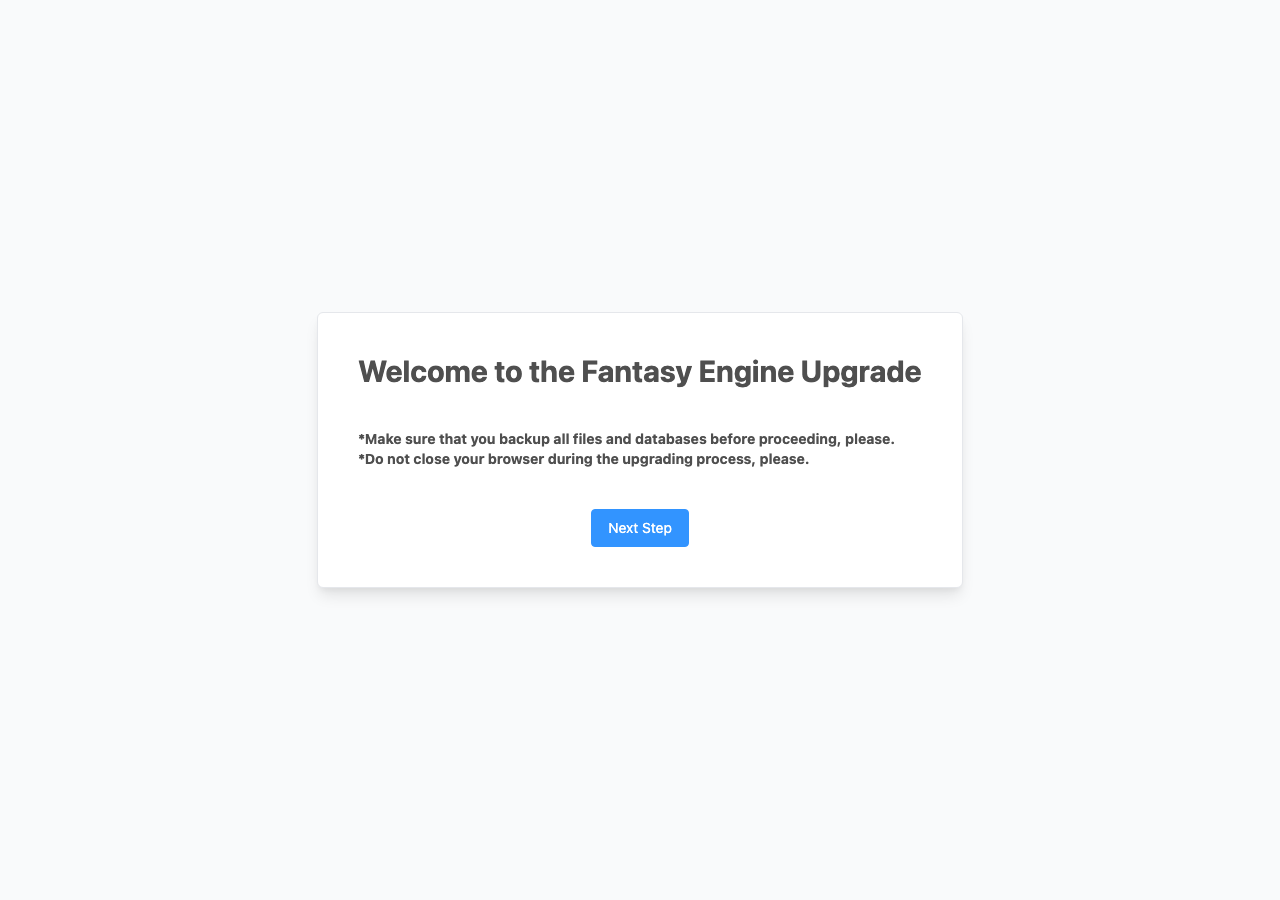
update-wizard - Welcome (2026-10-22) - Overview. "Current version 0.9.9 | Upgrade version available 1.0.0". Press Install Updates.
The button shows Upgrading... with the note "Upgrading the site. This can take a few minutes: do not close or
reload this page." until the result page opens; it cannot be pressed twice. A second upgrade started meanwhile
(another tab,
shaun_core:update) is refused with "An upgrade is already running on this site. Wait a few minutes for it to finish, then reload the AdminCP." (One run at a time).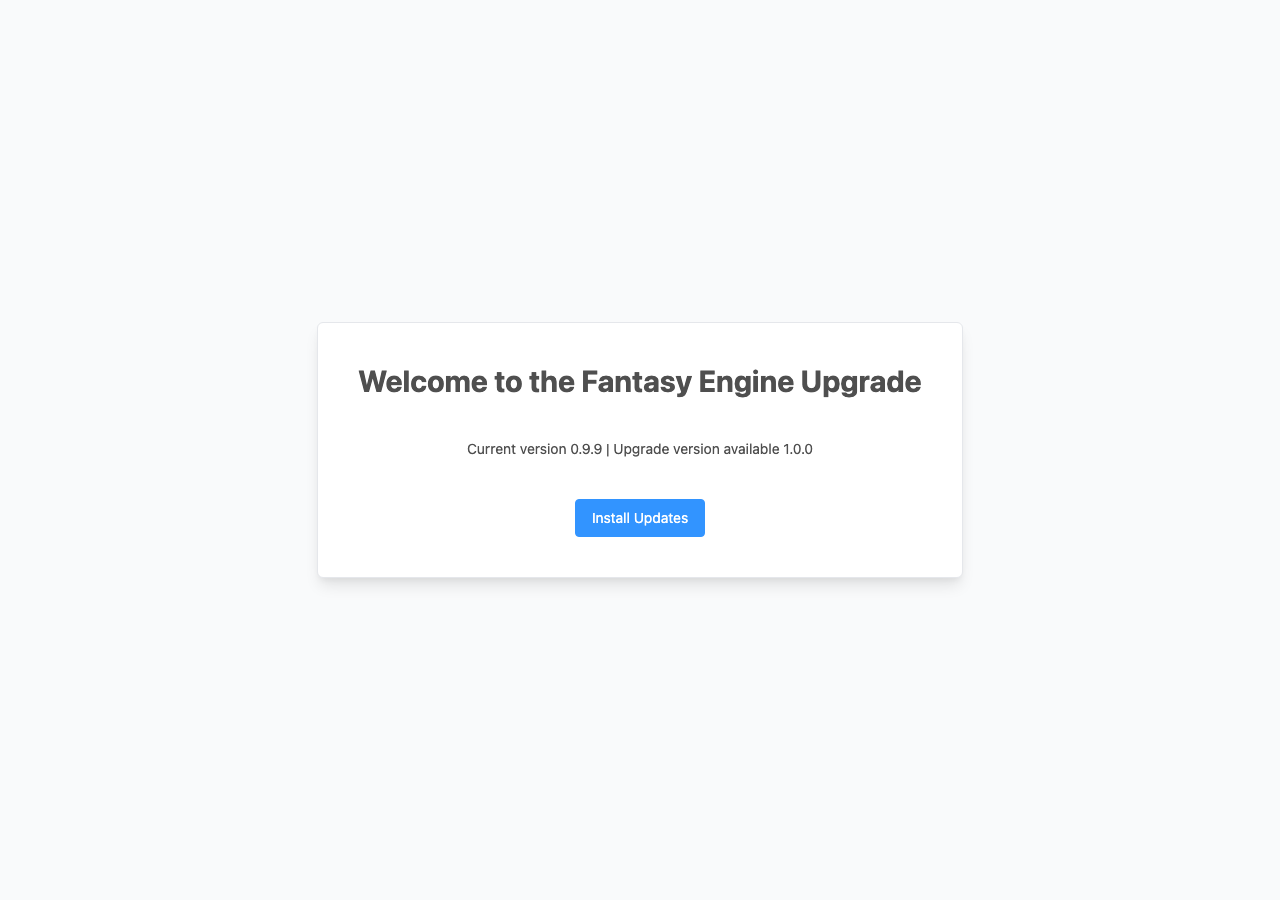
update-wizard - Overview, a site stored at 0.9.9 (2026-10-22) - Upgrade Finished. "Application has been successfully upgraded." Opening
/admin/upgradeagain now sends you to the home page: the site is current. This page shows once, right after the run: reloaded or opened later (/admin/upgrade/final), it sends you to the home page, or to the wizard's start while an update is still due. Before this page the wizard also writes the web app base path (a sub-folder site); whenpublic/_expois not writable it shows "An error has occurred!" with "The web app could not be set up for the site address. ... Fix it, then run php artisan shaun_core:web_base." - the database part is done, fix the folder owner and run that command.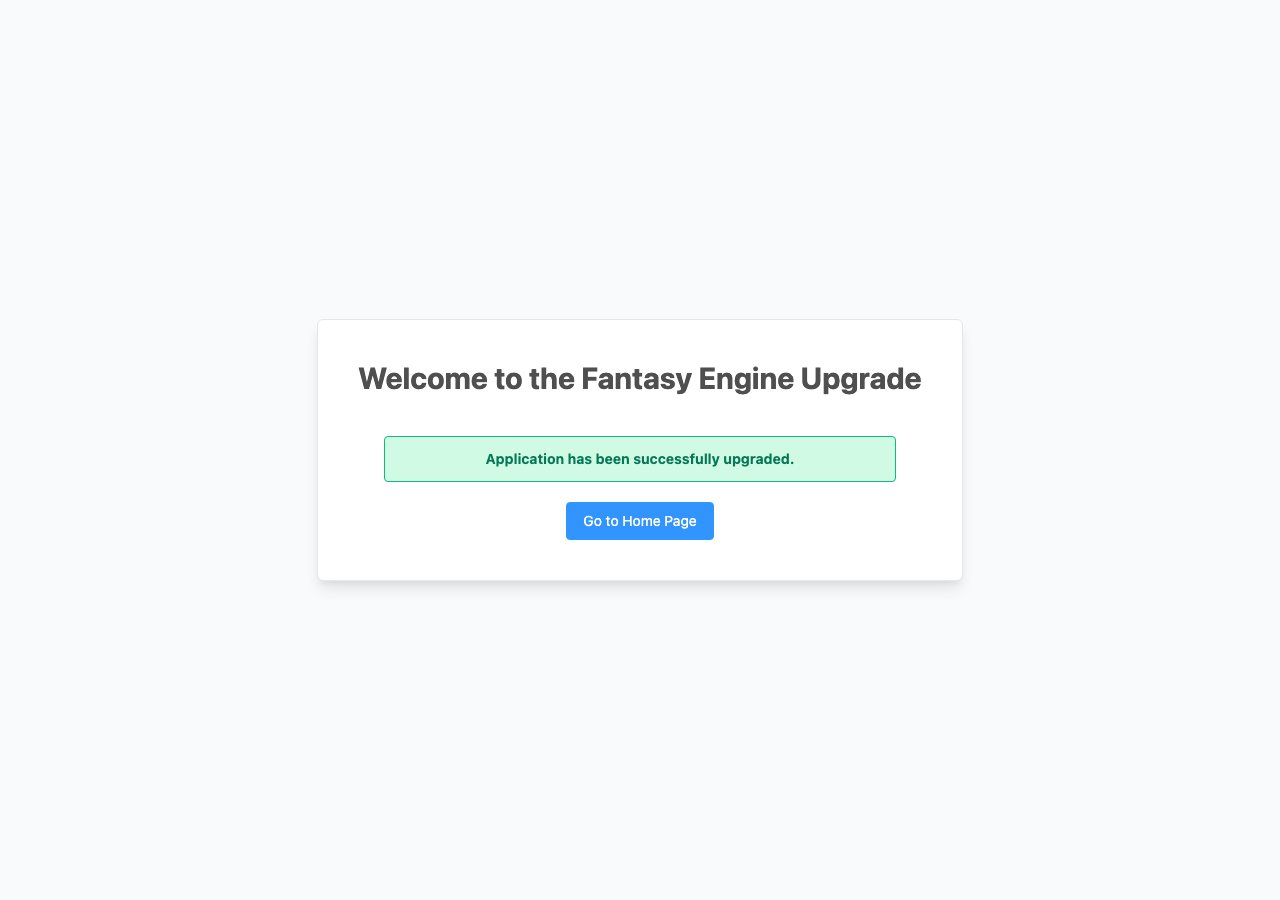
update-wizard - Upgrade Finished (2026-10-22)
The wizard runs only when public/version.txt differs from the stored version. A 1.0.0 site that has to take the later 1.0.0 changes with the files of 1.0.0 uses the command line: Update a 1.0.0 site installed before 2026-10-30.
Verified on 2026-10-22 on a test install of the 1.0.0 standard package: the stored version was set back to 0.9.9 and brought to 1.0.0 once with the AdminCP wizard and once with shaun_core:update. The base-path step and the redirect rule read from the 7b8ff49 on 2026-10-28.
Update from the git source (developers)#
Last updated: 2026-11-25 · v1.1.0
cd /var/www/fantasyengine
git pull
composer install --no-dev --optimize-autoloader --no-interaction
npx [email protected] --cwd resources/expo install --frozen-lockfile
bash resources/expo/build_web.sh          # rebuilds and replaces the web app in public/
php artisan shaun_core:update
php artisan migrate:status | grep -c Pending   # expected: 0
build_web.sh removes exactly the files of the previous build (it lists them in
public/_expo/installed-files.txt), so no stale bundle remains on this path.
After the update#
Last updated: 2026-11-25 · v1.1.0
- AdminCP footer: Current Version = the new version;
/admin/upgraderedirects to the home page. SELECT name, version FROM packages;- every row at the new version./api/initanswers 200; the web app loads and its browser console shows no 404 for/_expo/static/....- AdminCP → System Setting → Tasks: Succeeded: last on ... within five minutes;
php artisan schedule:listlists 21 entries (20 in 1.0.0). - With the data feed: AdminCP → Fantasy Engine → Data Feed, tab Overview: Status "Working: last answer on ...", no red notice and no "Contests still live" card; new rows under the tab Last requests.
- Read the release notes for anything you must do by hand (a new setting, a new scheduled command, a new
.envkey, a new app build). - On a production server, cache the configuration, routes and views again (the update cleared them):
Expected: four DONE linesphp artisan optimizeINFO Caching framework bootstrap, configuration, and metadata. config ... DONE events ... DONE routes ... DONE views .... DONE
Caches#
The update already clears them. Later, after editing settings or files by hand, use the AdminCP button
Clear cache (top right of every page) or php artisan cache:clear; the button also clears the
cached configuration, routes and views, so run php artisan optimize again after it. While the
configuration is cached the site does not read .env: run php artisan optimize:clear before
you edit .env, then php artisan optimize (install guide,
.env keys). Every .env value the site uses is read through the configuration, so a cached site keeps
them (the admin prefix, FORCE_HTTPS, TRUSTED_PROXIES ...).
Web app and mobile apps#
- The standard package carries the new web build; it reads the site address from the page, so nothing has to be rebuilt for your domain, and the update writes a sub-folder path into it (step 6 of What an update runs).
- The mobile apps in the stores are separate builds. An update of the site keeps working with the installed apps unless the release notes say a new app build is required.
- A new native release build needs your site's address in
EXPO_PUBLIC_API_URLofresources/expo/.env.production: the build stops while it is empty or a placeholder (Build the apps).
New texts in a release#
Last updated: 2026-11-25 · v1.1.0
New texts of the app and the AdminCP reach a site only through public/locales/install.json and
lang/install.json: on install they become the English files, on update the missing keys are merged
into every language file. If you build the web app yourself (full package) and serve it without running the
update, the new keys are missing from public/locales/en.json and the app shows their English source
text; run php artisan shaun_core:update (or open AdminCP → Language, which merges them too).
A text whose English source changed is a new key: the update adds it in English, and a translated language shows English for it until it is translated again. Example of 1.0.0 (2026-10-28): the wallet notices "You received a payment from :1." and "You sent a payment to :1." (they started with a lower-case letter before). Of 2026-10-29: the contest notices "paid %s to enter contest "%s".", "finished %s in contest "%s" and won %s.", "finished %s in contest "%s"." and "took part in contest "%s", which is now complete." and the transaction type "Refund - contest cancelled" (was "Cancelled a contest"), with the other texts added to 1.0.0 that day; notices stored before the update keep the old texts. The number of new texts of 1.1.0 is in the row Texts of Upgrading 1.0.x to 1.1.0.
Troubleshooting#
Last updated: 2026-11-25 · v1.1.0
| Symptom | Cause and fix |
|---|---|
/admin/upgrade answers an error page (401) | the AdminCP account is not a super administrator: sign in with a super administrator account, or run php artisan shaun_core:update. |
/admin/upgrade sends me to the home page | the stored version already equals public/version.txt: nothing to do (or the new files were not copied). For a 1.0.0 site from before 2026-10-28 use the command line and the one-off steps. |
A reload or a bookmark of /admin/upgrade/final opens the home page or the wizard's start | normal: the Upgrade Finished page shows once, right after the run. The Current Version in the AdminCP footer says whether the update ran. |
| "The web app could not be set up for the site url: ..." (exit 1) | the database is updated, but public/_expo is not writable for a sub-folder site: fix the owner and run php artisan shaun_core:web_base. |
| No How to play in the menu, Help still in the main menu, "Laiga" in the lobby | a 1.0.0 site from before 2026-10-28 without the one-off command: run step 3 of that section. |
| No member contest settings under Fantasy Engine, a "Player Statuses" or "Fixtures" permission still on the roles, invite e-mails starting with "[sender_name has invited you play", NHL goalies scoring for every shot faced | a 1.0.0 site older than 94fe444 (2026-10-29) without the one-off steps: run steps 4 to 6 of that section. |
| AdminCP → Data Feed: "The setting could not be saved: run the update of the site first." | the Fantasy Engine settings group is missing: run the update, then step 2 of that section. |
shaun_core:update says "The site is not installed (no site.title setting): run the installer first (the web installer or php artisan shaun_core:install)." (exit 1) | the database the .env points at was never installed (no site.title setting row): the command changes nothing there. Check DB_DATABASE in .env; on a new site run the installer (Install guide) instead of the update. |
shaun_core:update ends with "The update failed: ..." (exit 1) | a migration or data step failed; the version was not changed. Read the reason and the log above it, fix, run the update again. |
| The app is blank or half-styled after the update | old bundles left in public/_expo: delete public/_expo and public/assets and copy them from the package again. |
| Texts show as their English source | the update did not run, or a language file is not writable by PHP. |
| Everything 500 after copying | a file owner changed (run chown), or OPcache serves old files (reload PHP-FPM). |
| Something went wrong and you need to go back | restore the database dump and the file archive; put the previous package's files back. |
| A sub-folder site still shows the old web app after the new files were copied | Only public/ was copied. On a site in a sub-folder the web app is written from resources/web-template/: php artisan shaun_core:update (or shaun_core:web_base) rewrites public/_expo from it for the folder and removes the files the template does not list, so an old template puts the old app back and deletes the new bundle. Copy resources/web-template/ from the package as well (remove the old folder first), then run php artisan shaun_core:web_base. The bundle name the site then serves differs from the one in the package (entry-<hash>.js gets the hash of its rewritten content): that is expected. |
Change log#
Last updated: 2026-11-25 · v1.1.0
| Date (GMT+7) | Section | What changed |
|---|---|---|
| 2026-10-22 | all | First version, checked against daily-fantasy c68e20c; both update paths run on a test install. |
| 2026-10-22 | what-update-runs, update-package, update-troubleshooting | shaun_core:update now prints the log, exits 1 on a failed step and keeps site.version (like the wizard): the "does not report a failed migration" warning replaced, expected output and troubleshooting rows updated; checked against the 9c4fba6. |
| 2026-10-23 | update-package | The zips hold the files at the archive root (no top folder): unpack with -d /tmp/fantasyengine-<version>. |
| 2026-10-28 | versions, existing-1-0-0 (new) | 1.0.0 took new migrations and data without a new version number: a new section with the command-line update and the one-off steps (feed settings SQL, How to play pages + Help in the footer + league names in one tinker command, wallet notice translations). |
| 2026-10-28 | what-update-runs, update-wizard, after-update, update-troubleshooting | Sixth step: the web app base path (sub-folder sites) and its error; the wizard opens only for a new version number; Data Feed check; three troubleshooting rows. |
| 2026-10-28 | strings | A changed English text is a new key (wallet notices example). |
| 2026-10-28 | update-package | Re-checked against daily-fantasy 35188bf (date unchanged). |
| 2026-10-28 | update-wizard | The three shots renamed update-wizard__* after the section. |
| 2026-10-28 | update-troubleshooting | New row: a sub-folder site still showing the old web app (resources/web-template/ not copied), found on a staging site. |
| 2026-10-29 | versions, existing-1-0-0 | The 2026-10-29 work also went into 1.0.0 (13 shaun_df_1_0_0_* migrations now): the section covers a site from before 2026-10-29, with the five new migrations, a new step 4 (SQL of the three member contest settings, tested in a rolled-back transaction) and step 5 (one tinker command: player statuses, drop of the unused Player Status permission, NHL Shutouts repair, invite mail text), what each call never touches, and the checks. |
| 2026-10-29 | strings, after-update, update-troubleshooting | New contest notice texts and "Refund - contest cancelled" as new keys (82 backend, 37 app texts); 20 scheduled entries and the Data Feed tabs in the checks; a troubleshooting row for a site without the 2026-10-29 steps. |
| 2026-10-29 | existing-1-0-0, update-troubleshooting | New step 6 for a site older than 7b13a85: one tinker command for the landing background settings, the Landing Page permission and the model maps of sports, scoring categories and positions, with what each call never touches; later steps renumbered (7 wallet notice translations, 8 restart); a troubleshooting row for the Landing Page notice. |
| 2026-10-29 | existing-1-0-0 | Step 6 replaced: the landing background upload was removed, so the command now holds the model-map repair and the cleanup DfSettingSeeder::dropLandingBackgrounds() (settings, stored pictures, permission) instead of the two repairs that added them; the step is for every site; the checks no longer mention the Landing Page screen. |
| 2026-10-29 | update-troubleshooting | The row about the Landing Page notice is gone with the screen. |
| 2026-10-29 | existing-1-0-0 | Step 6 also corrects the grammar of six seeded setting descriptions (DfSettingSeeder::repairDescriptions()) and of the seeded Help FAQ (updateHelpPage() again), each only while the row still holds the seeded text; step 7 notes that texts with corrected grammar are new keys to translate again. |
| 2026-10-29 | existing-1-0-0 | Step 6 also corrects the grammar of 15 seeded setting texts of the core, eWallet and User Verification packages (CoreSettingSeeder::repairTexts(), WalletSettingSeeder::repairTexts(), UserVerifySettingSeeder::repairTexts()), each only while the row still holds the seeded text; the AdminCP and API texts of those packages whose grammar was corrected are new keys a site with another language translates again (step 7). |
| 2026-10-30 | versions, existing-1-0-0 | The NFL Flex slot of 2026-10-29 also went into 1.0.0: 14 shaun_df_1_0_0_* migrations; step 1 lists them in the order Laravel runs them (file names) with the new shaun_df_1_0_0_modify_table_df_player_positions (df_player_positions.accepts); new step 7 (DfPlayerPosition::addFeedFlexibleRows(): the Flex row of an NFL feed league synced before, run twice on the dev site of 5daa011, [0, 0]); later steps renumbered (8 translations, 9 restart and checks, with the Flex check and the optional removal of storage/framework/install_key). |
| 2026-10-30 | what-update-runs, update-troubleshooting | shaun_core:update on a database that was never installed now says "The site is not installed (no site.title setting): run the installer first ..." and exits 1 (was: no output); the troubleshooting row rewritten. |
| 2026-10-30 | versions, existing-1-0-0, update-wizard, update-troubleshooting | The section is "Update a 1.0.0 site installed before 2026-10-30" (it covers sites older than 1104a62, 2026-10-29 16:32), in its title, the tab menu and the links (link address #existing-1-0-0 unchanged); the troubleshooting row of the member settings / invite mail / NHL symptoms names a site older than 94fe444. The wizard's code did not change between d2d8b13 and 5daa011: re-checked against daily-fantasy 5daa011. |
| 2026-10-30 | existing-1-0-0 | Step 8 is for every site with a language other than English (not only sites older than 7b8ff49). fixSeededNames() matches the old seeded name exactly (the database collation had matched a name differing only in letter case): a second run writes nothing, and a name the owner changed only in letter case is kept - the Never touches cell says so. The same exact match in every other seeded-text repair (updateHelpPage(), repairInviteMail(), repairDescriptions(), the three repairTexts()): one sentence in the intro; checked line from the dev site. Checked against daily-fantasy cc39510, which holds the fix. |
| 2026-11-02 | existing-1-0-0 | The scheduler changes (overlap locks with APP_DEBUG=true, model:prune every 5 minutes / 500 rows, the schedule:run read limit) need no step either; a custom config/cache.php is kept. |
| 2026-11-02 | existing-1-0-0 | The CORS path of the channel login and the database limits of the scheduled commands need no step (an edited config/cors.php takes broadcasting/auth by hand). |
| 2026-11-03 | existing-1-0-0 | The NFL feed positions, the MLB stats reading and the new default MLB points need no step; an MLB league synced before keeps its points until edited. |
| 2026-11-04 | existing-1-0-0, after-update | The 2026-11-04 changes (web app fixes, Delete Account in the phone settings list, no API address in the web build, the release address check of native builds, the package guard) need no database step; the web app comes with the package or build_web.sh; a native release build needs the real EXPO_PUBLIC_API_URL; a full-package copy overwrites resources/expo/.env.production with the placeholder. Checked with git diff --stat 49878b6 bd2f162. |
| 2026-11-05 | existing-1-0-0, update-troubleshooting | Step 5 called dropPlayerStatusPermission(), renamed on 2026-11-04 to dropDeadPermissions() (it also removes the unused "Fixtures" permission): command, table row, the restart check and the troubleshooting row corrected. The 2026-11-04 "no step" box limited to the morning changes; a new box for stage, test and demo sites lists the 1.0.0 baseline edits of 2026-11-04 afternoon (How to play salary line, unused permissions, Apple settings) and 2026-11-05 (in-app purchase credentials as settings, gateways cut to PayPal and Stripe, unique index of wallet orders) with no files step or SQL here; no customer step (1.0.0 not sold); the app fixes of the day need no step. |
| 2026-11-09 | existing-1-0-0, change-log | The box on stage, test and demo sites installed before the 2026-11-04 / 2026-11-05 baseline edits is written out without links to internal files (reinstall, or the three one-off changes in order; the database statements come from the developer); the name of an internal review file is taken out of older rows. Content unchanged otherwise, the Last updated line stays. |
| 2026-11-10 | upgrade-1-1-0 (new), change-log | New section Upgrading 1.0.x to 1.1.0: backup, copy (also delete the 1.0.0 manifest.json / logo192.png / logo512.png; full package: keep your app files), shaun_core:update or the wizard, restart, one fixtures read for Survivor, new apps; what the update changes (new game types and How to play pages, schema incl. the stored salary cap, lineup salaries, in-app purchase settings and gateways removed, first theme, visitors, manifest, TRUSTED_PROXIES, texts topped up in every language, schedule unchanged), Survivor after the update, a 1.0.0 app against a 1.1.0 site. The header names version 1.1.0. |
| 2026-11-10 | upgrade-1-1-0, change-log | Database: the stored OpenID client secret column accepts an empty value (the AdminCP form still asks for one). First theme: the update turns Light into System also when Light was chosen on purpose. Step 6: add or raise android.versionCode / ios.buildNumber in app.json (the shipped file has neither). The name of a test migration in a sample output made neutral. Internal review labels and the wording of the test sites taken out of older rows and "checked" lines; content unchanged, the Last updated lines of those sections stay. |
| 2026-11-10 | what-update-runs, existing-1-0-0, change-log | The "checked" line of what-update-runs describes the forced failure without quoting a test migration name or message; the "checked" line of existing-1-0-0 and two older rows no longer point to documents outside this guide (content unchanged). Both sections re-dated (checked against daily-fantasy 9a1fa0f). |
| 2026-11-10 | upgrade-1-1-0, change-log | New step 4: TRUSTED_PROXIES is required for a site behind Cloudflare, another CDN, a load balancer or a reverse proxy (otherwise all visitors share the guest limit of 120 lobby reads a minute and get "Too many requests"); the later steps renumbered. New row: a data feed league of a sport outside the supported list (MMA, or a sport the feed adds later) offers no game type, what the admin sees and does. Section re-dated. |
| 2026-11-10 | upgrade-1-1-0, after-update, change-log | Checked against 7a7a0c9: 58 new backend texts (was 57); step 4 quotes the full refusal "Too many requests in 1 minute. Try again later." and asks only for php artisan config:clear; Survivor after the update waits for the next fixtures read (the nightly read at 02:20 UTC at the latest, on a match day the hourly refresh check once the last read is about 6 hours old, or the command of step 6). After the update: schedule:list lists 20 entries for 1.0.0 and 1.1.0. |
| 2026-11-13 | what-update-runs, after-update, change-log | Checked against 6ab7daa with the fixes of 2026-11-13: php artisan optimize recommended after every update on a production server (new step 7 of After the update; the update and Clear cache clear the cached configuration, routes and views); php artisan optimize:clear before editing .env. Replaces "do not run config:cache or optimize": every .env value is now read through the configuration. |
| 2026-11-13 | upgrade-1-1-0, change-log | What the update changes: the sixth new game type, Margin pick'em (soccer leagues, NFL, NBA, MLB and NHL of the data feed), and its How to play page (six pages added); 67 new AdminCP / backend texts (was 58). The update proof on 2026-11-13: a 1.0.0 install updated with shaun_core:update equals a fresh 1.1.0 install (the client cache number, which every update raises, aside); a second run says "Nothing to migrate." |
| 2026-11-17 | upgrade-1-1-0, change-log | Checked against 9ab76d13. New row "Contests live at the update": a feed match more than 7 days after the middle kick-off of a contest's other matches counts for nobody in that contest; a contest live at the update stops counting such a match from its first scoring run (standings change, no money moves then); the contest form refuses such a match and templates leave it out. Step 4: the guest limit of 120 a minute now counts lobby searches only (a word or a filter), not every lobby or contest page. |
| 2026-11-18 | what-update-runs, update-wizard, change-log | Checked against c2d8799. One run at a time: shaun_core:update, the AdminCP wizard and the installers share one lock; the command's and the wizard's refusal texts. Wizard: Install Updates shows Upgrading... with a do-not-close note until the result page and cannot be pressed twice. |
| 2026-11-18 | upgrade-1-1-0, change-log | Checked against c2d8799. Step 4 also sets TRUSTED_PROXY_HEADER (Cloudflare: its ranges and cf-connecting-ip) and lists every per-visitor limit; * warning. New step 8: deposits opened before the update and paid after it are not credited automatically (Stripe charged, PayPal not captured; System Log warning, credit by hand with Transfer Mass Funds); delete the old monthly gateway logs. New rows: payments (site mark from APP_KEY, amount and currency checked, credited once, empty webhook secret / id refused, daily gateway logs kept 30 days), withdrawal requests decided once and always needing Transfer funds, language files repaired, sign-in and accounts (new limits, AdminCP second step, other sessions end on a password change, deletion refused while money or an entry is open, three unused switches hidden). .env row: two keys and the APP_KEY note. Texts: 71 app and 113 backend texts (was 47 / 67). |
| 2026-11-18 | upgrade-1-1-0, change-log | Checked against ff48418. Step 4 also names the guest forms of the web pages (300 a minute), the social sign-in (60 a minute) and the webhooks (120 a minute) and the hourly System Log warning for a proxy on a private or local address. New rows: Content-Security-Policy (what is allowed, what to check after the update, report mode first behind a proxy that adds scripts, the static-file address) and Request limits. Sign-in and accounts: social sign-in checks the browser that started it, Apple needs https, an existing account is joined only with a provider-verified address the account confirmed by one password reset, the two-step code after a provider sign-in. .env: the optional CSP_* keys. Texts: 114 backend keys. The apps: a member with two-step verification cannot finish a provider sign-in in an app built from 1.0.0. |
| 2026-11-18 | upgrade-1-1-0, change-log | Checked against edb45f3. New rows: Penalties and shoot-outs (rule unchanged, now on the league and result forms and the How to play pages), Entries per member (new setting, contests and templates from before the update without a limit, 1.0.0 apps), Send funds (not changed by the update; off on a new installation), Golf, Formula 1 and horse racing (player statistics from the feed), Results of the data feed (final without a score stays in progress, all-called-off contest refunded at the next run, one failing game or event no longer stops the rest). New game types: the Pick winner page gets the penalties line unless edited. Database: the limit column. Texts: 77 app and 125 backend texts (was 71 / 114). |
| 2026-11-19 | upgrade-1-1-0, change-log | Checked against 8e7fefb. New row Add email and password: the member screen for an account without an e-mail address, its two API routes, limits, the 6-minute code, the mail template Verify email used for the first time (its default text says 5 minutes), no database change, what a member of an app built from 1.0.0 sees. Withdrawal requests: the minimum refusal "The amount must be at least 10 USD." is a new phrase (translate it again). Texts recounted from the locale files against 1.0.0: 80 app and 127 backend texts (were 77 and 125). The apps: a Redeem Credits request from the Android / iOS apps built from 1.0.0 can be for the whole balance when a smaller amount was typed; check such requests until the 1.1.0 apps are out. |
| 2026-11-19 | upgrade-1-1-0, change-log | Checked against 3a23da0. Golf, Formula 1 and horse racing: a feed player is stored once per league (the same feed player in two such leagues is two players; 1.0.0 gave the second league none), a key change with no data change. Database: the new df_players key (league, team, feed id) and its migration. Withdrawal requests: balances shown and checked at two decimals, rounded down, so the whole shown balance can be withdrawn, spent or sent; Redeem Credits hidden for a role without Transfer funds; a decimal comma read. Sign-in and accounts: an Apple sign-in in progress at the update is refused once; the current-password limit (10 per account, 30 per address, 15 minutes, the 429 message, fixed values in constant.php); the invitation limit and the two-step setup code wait also on a site with APP_DEBUG=true. New row IP address ban: it judges the resolved visitor address behind a proxy; check the list after the update. Texts re-counted: unchanged (80 app, 127 backend). |
| 2026-11-19 | upgrade-1-1-0, change-log | Checked against 6abd75c. New rows: Browser cache of the static files (hashed build files 1 year immutable, other static files 7 days instead of 1 year, service workers no-cache; the mod_expires fallback and the 500 under a narrow AllowOverride; the curl check after the update; no CDN purge for the build, but each administrator reloads the AdminCP once bypassing the cache and a CDN purges /admin/* and /install/*, because 1.0.0 told browsers to keep those files a year), Pages without a session (no session or cookie per page view; browsing the member site no longer keeps the AdminCP session alive), Web app files (WOFF2 font, three screens' parts loaded on demand, the page loads only the start bundles, custom builds with build_web.sh), Description of the pages (falls back to the Site title). |
| 2026-11-19 | all | Moved to the documentation site: this page holds the sections versions, what-update-runs, backup, upgrade-1-1-0, update-package, existing-1-0-0, update-wizard, update-git, after-update, strings, update-troubleshooting of the former Update a site document. Page frame, headings and links between the pages updated; the text of the sections is unchanged. |
| 2026-11-19 | update-snake | This guide describes Fantasy Engine only: the section update-snake removed (the snake draft product has its own documents). |
| 2026-11-19 | existing-1-0-0, update-package, upgrade-1-1-0 | References to the tabs of the former single-page document replaced by links to the sections they meant; wording only. |
| 2026-11-20 | upgrade-1-1-0, change-log | Checked against 8ba2699. New rows Too many requests (every refusal states the wait and sends Retry-After; the login keeps its message) and Players of the data feed (two feed players of one name in a team are two players; your own players still need a name of their own in a team; one new column, nothing to do). Withdrawal requests row: the refusals of "1,000" and of more than two decimals. Step 4 and the current-password part quote the new message. Texts: 82 app and 136 backend texts (was 80 / 127). Too many requests: the wait is stated whenever it is known; without a known wait the answer has no Retry-After. |
| 2026-11-20 | upgrade-1-1-0, change-log | Checked against 8ba2699 (the first-load changes). Browser cache of the static files: the language files of the web app (locales/<code>.json) 7 days, asked for with a version that changes whenever the file is written or the cache is cleared, so an edited translation shows at the next page load; nothing to purge after the update; a CDN must keep the query string in its cache key; a fourth curl line. Web app files: one stylesheet; the font and the default language file start with the page; a visitor who is not signed in makes no profile request, and in the site's default language gets the start data with the page (in another language, or with an access code, the app still asks /api/init); do not cache the pages at a CDN; the harmless preload warning for another language. |
| 2026-11-20 | upgrade-1-1-0, change-log | Checked against 75f021e0. Step 4 and Request limits: behind a proxy on a private or local address that is not listed, only the web forms and the social sign-in are left uncounted, the webhooks of all gateways share one count of 120 a minute (the clause of the earlier row of this date that said the webhooks were left uncounted is taken out). Sign-in and accounts: the same answers and the 250 ms floor for a name that has no account, the wrong passwords counted per kind of name, the password-reset mail after the answer, at most 50 wrong two-step codes in 24 hours, the delete refusal for unsettled entries, unpaid prizes and waiting top-ups (message quoted). IP address ban: IPv6 and CIDR entries, the refusals on save, entries saved before the update kept and the inert ones named in the System Log. New row Mails with a code (the four templates state the real code time; only unedited default texts are rewritten). Add email and password: points to that row. Payments: a late payment of a cancelled deposit of a deleted account is not credited (System Log; refund at the gateway). Withdrawal requests: a request of an account deleted before the update can be rejected, nothing is given back (message quoted). Results of the data feed: a held final keeps the last score, an unreadable start time is skipped, rounds under the feed's season, Read the feed again reports failures. Texts: 144 backend texts (was 136). |
| 2026-11-20 | upgrade-1-1-0, change-log | New box before the steps: a site with Sign in with Apple checks that the Apple provider's Server is https://appleid.apple.com before updating (any other value refuses every Apple sign-in from 1.1.0); a provider added by hand must send back the nonce. Sign-in and accounts: the member login takes at most ten times Bad login limit wrong passwords per name from all visitors together, then refuses that name for everybody until Lockout time has passed; the sign-in token checks of social sign-in and their refusal pages. |
| 2026-11-20 | upgrade-1-1-0, change-log | Checked against fd836817: the Apple box, the member login count from all visitors together and the checks of the social sign-in token of the earlier row of this date confirmed in the code; nothing in the section changed. |
| 2026-11-20 | upgrade-1-1-0, change-log | Sign-in and accounts: the factor ten of the member login is fixed and has no setting in the AdminCP (the name of the value and its file are taken out). Apple box: check that Server is set to exactly https://appleid.apple.com; a value that does not lead there makes every Apple sign-in end on a 400 error page. Checked against fd836817. |
| 2026-11-20 | upgrade-1-1-0, change-log | Checked against 02120339. Step 4 and Request limits: behind an unlisted local proxy the requests of visitors who are not signed in to the app's API share one count of 300 a minute and also write the hourly warning. Payments: a deposit paid for a deleted account is listed on no AdminCP screen. Withdrawal requests: the per-request lines and mixed summary of a bulk Accept / Reject, which case gives which result (already decided before: passed over; decided at the same moment: red, the other decision stands; busy wallet: pending; the older sentence corrected), the Redeem Credits form closed while sending (it now waits for the answer). Sign-in and accounts: the token signing methods (a provider signing with its Client Secret, accepted by 1.0.0, needs the developer's configuration, applied again after every update), the 15-minute token age, the provider keys kept for an hour (cleared when a provider field changes or the provider is deleted), the AdminCP login counted on the e-mail as typed with a right password taking back only its own try. Results of the data feed: the NFL defence keeps its points-allowed points while a final is held. Database: two fixture status indexes. Texts: 147 backend texts. Read from the code, not run. |
| 2026-11-21 | versions, change-log | Written in the past: 1.0.0 was released on 2026-11-09; the work added to 1.0.0 before the release, and what a site installed before it needs; since then every change ships under a new version number. Wording only. |
| 2026-11-21 | what-update-runs, update-wizard, update-troubleshooting, change-log | Read against b2a18572 for these changes only. The AdminCP upgrade wizard is open to super administrators only (any other AdminCP account gets an error page, 401; the command line is not limited): new troubleshooting row. The update writes again the upload folder file storage/app/public/.htaccess. |
| 2026-11-21 | upgrade-1-1-0, change-log | Checked against b2a18572. Step 2 also deletes public/admin/js/lib/tinymce (the 1.0.0 editor); step 3: the wizard needs a super administrator; the expected migration list starts with shaun_core_1_1_0_modify_table_code_verifies (file-name order); new step 9 (Clickatell needs the API key of a REST integration; an HTTP integration key is refused) and step 10 (the nginx /storage/ block; uploads made before the update are not checked again). Rows: Payments (a notice with a wrong signature answered 400 with a System Log warning naming the field; the gateway sends it again, so a fix in time still credits), Sign-in and accounts (password change and reset stop push notifications, an administrator's password reset signs the member out everywhere, the sign-up limit, every refused provider sign-in shows "400 Sign-in failed or was cancelled. Please try again." with the reason in the System Log), .env (SESSION_SECURE_COOKIE and the optional keys, production values in .env_example), new rows Mails, Log files, Uploads, Security headers, SMS (Clickatell), AdminCP text editor, Players (the player detail window and the Shirt number field), League data, Verification requests and Member pages; Texts: 83 app and 163 backend texts (was 82 / 147); Scheduled commands: 21 entries with queue:prune-failed (was "unchanged, 20"). |
| 2026-11-21 | existing-1-0-0, change-log | Read against b2a18572 for this change only. A box on taking these steps with the 1.1.0 package (step 1 also runs the 1.1.0 migrations and data steps and prints "Updated to version 1.1.0.", the wizard opens and does the same, steps 2 to 9 stay one-off steps, the steps of Upgrading 1.0.x to 1.1.0 apply too, the in-app purchase one-off of 2026-11-05 can be skipped); step 1 and seedHowToPlayPages() say what each package does (two How to play pages with 1.0.0, all eight with 1.1.0). |
| 2026-11-21 | after-update, strings, change-log | schedule:list lists 21 entries (20 in 1.0.0). New texts in a release: the old example no longer gives counts that read like those of 1.1.0 ("82 ... and 37 ..." was the 1.0.0 work of 2026-10-29); the 1.1.0 counts are in the upgrade table. Read against b2a18572. |
| 2026-11-21 | upgrade-1-1-0, change-log | Read against bad8042c for these rows only. Mails: in 1.0.0 the two welcome mails (Welcome, Welcome with password) were held back for an unsubscribed address too, not only the two-factor code mail. Security headers: on the pages and answers the site builds; files the web server sends straight from disk carry only its own headers. Scheduled commands: queue:prune-failed gets the database limits of the scheduled commands. |
| 2026-11-22 | upgrade-1-1-0, change-log | Read against 7199bb71 for these changes only. Row Texts re-counted: 125 new app texts and 185 new AdminCP / backend texts (keys of the two install.json files that 1.0.0 does not have). New row Team logos: on a site hosted on a Windows server the team logos the data feed fetched before the update show after it; nothing to do. |
| 2026-11-25 | all | Re-checked against e94aef78, the code of the 1.1.0 release: every section compared with the code changes since it was last checked; the sections whose code changed since then carry today's date. |
| 2026-11-25 | update-wizard, what-update-runs, upgrade-1-1-0, update-troubleshooting | The Upgrade Finished page shows once, right after the run; a reload or a later visit goes to the home page or to the wizard's start (a row in the 1.1.0 table and a troubleshooting row); a failed step stops the update on any error. |