
Table of Contents
This guide explains how to configure fiat currencies (USD, EUR, etc.) and the site currency (e.g. COIN) used in the eWallet system.
Set Up Fiat Currency #
Fiat currencies are used for payment gateways and currency conversion (USD, EUR, etc.).
Navigation path: Admin Dashboard > Site Setttings > Manage Currencies
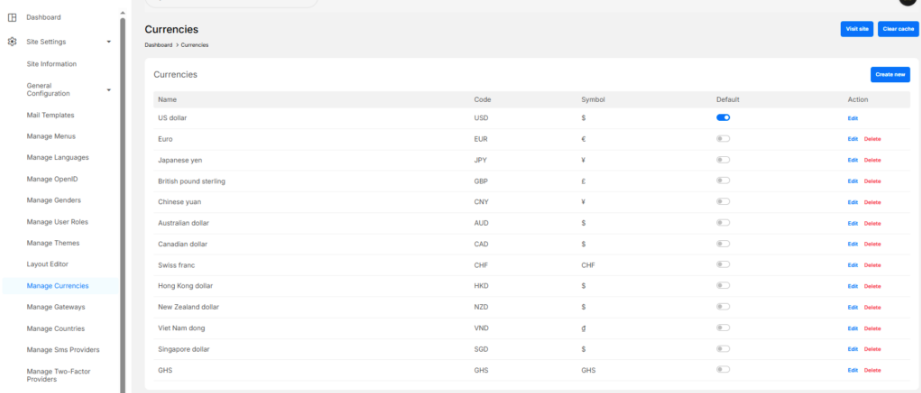
Create a New Fiat Currency #
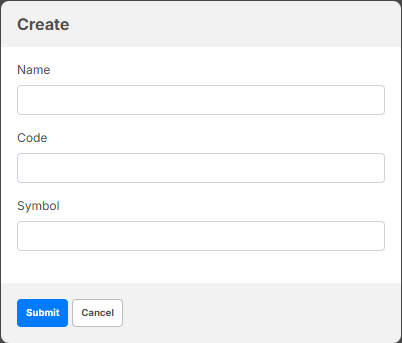
- Click Create new
- Enter:
- Name (e.g. US Dollar)
- Code (e.g. USD)
- Symbol (e.g. $)
- Click Submit
Set Default Fiat Currency #
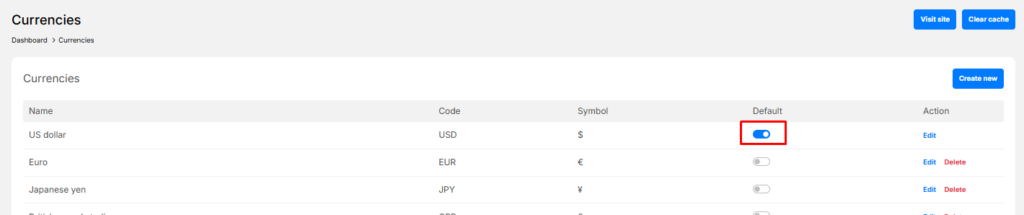
- Toggle the Default switch for the currency you want to use as the system’s main fiat currency
- Only one currency can be set as default
Set Up Site Currency (eWallet Token) #
Navigation path: Admin Dashboard > Site Setttings > General Configuration > eWallet
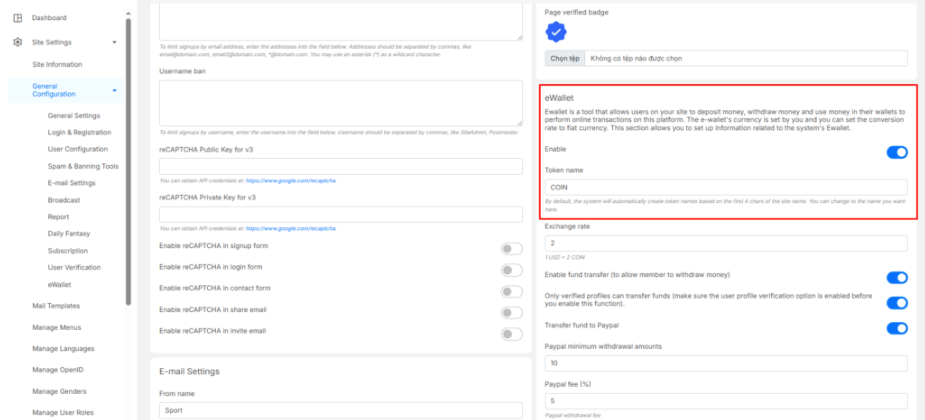
Configure Site Currency #
- Enable eWallet
- Set the Token name
- Example:
COIN - This is the currency users see in their wallet
- Example:
- Set the Exchange rate
- Example:
2 - Meaning: 1 USD = 2 COIN
- Example:
Example #
If:
- Token name =
COIN - Exchange rate =
2
Then:
- 10 USD = 20 COIN
- 0.50 USD = 1 COIN


