
You can invite your friends to join a contest by sharing a link or sending email invitations.
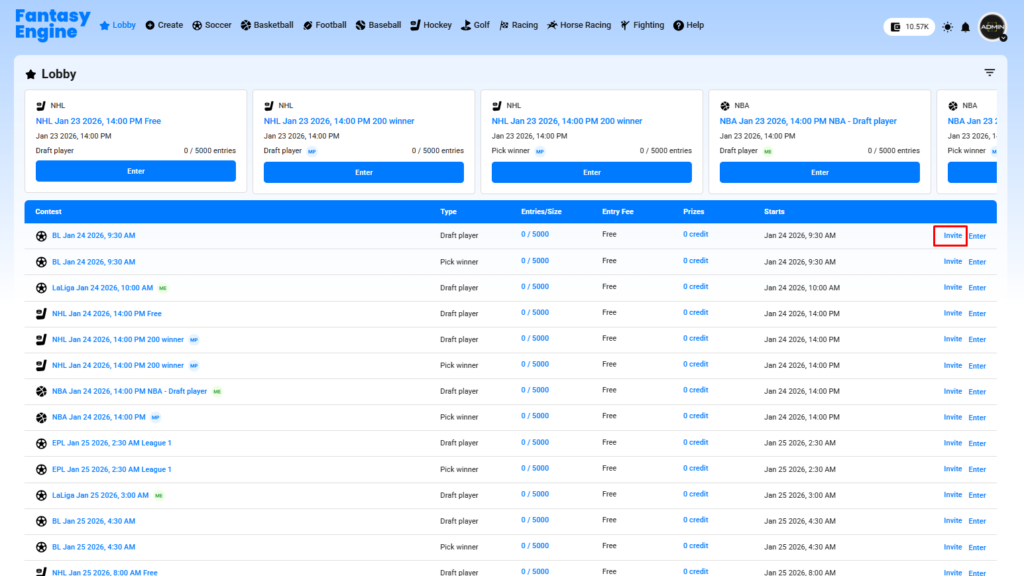
Method 1: Invite by Sharing Link #
- Go to the Lobby page.
- Click Invite on the contest you want to share.
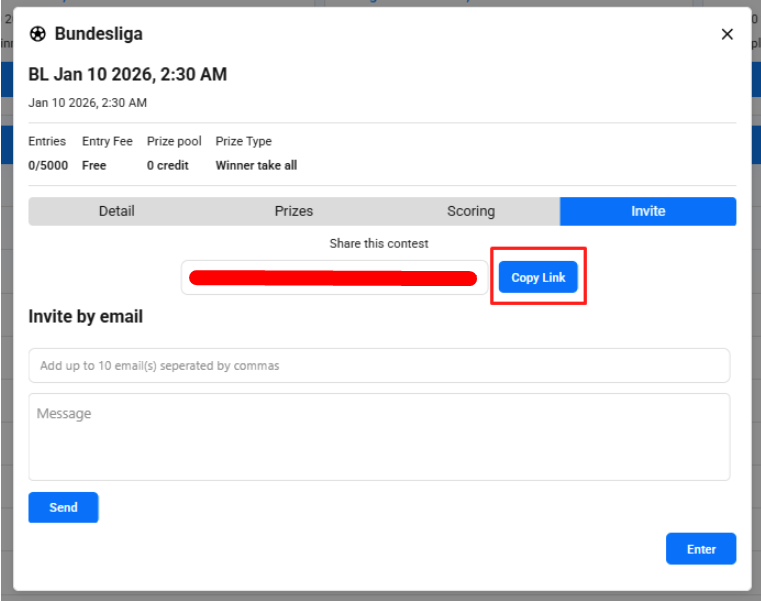
- In the Invite tab, copy the contest link by clicking Copy Link.
- Share the link with your friends via chat, social media, or any messaging app.
- Your friends can click the link to view and join the contest directly.
Method 2: Invite by Email #
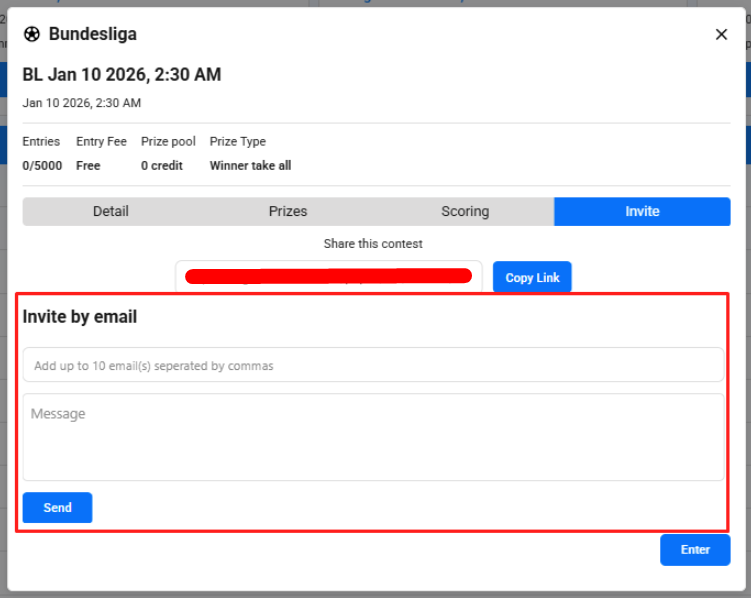
- Open the Invite dialog for the selected contest.
- Enter up to 10 email addresses, separated by commas.
- (Optional) Add a personal message.
- Click Send to send invitation emails.
Join the Contest #
- Invited users can click Enter from the invitation link or contest page.
- If required, they must log in or create an account before joining.


