
Table of Contents
You can edit your contest entry to update your picks or selections before the contest starts.
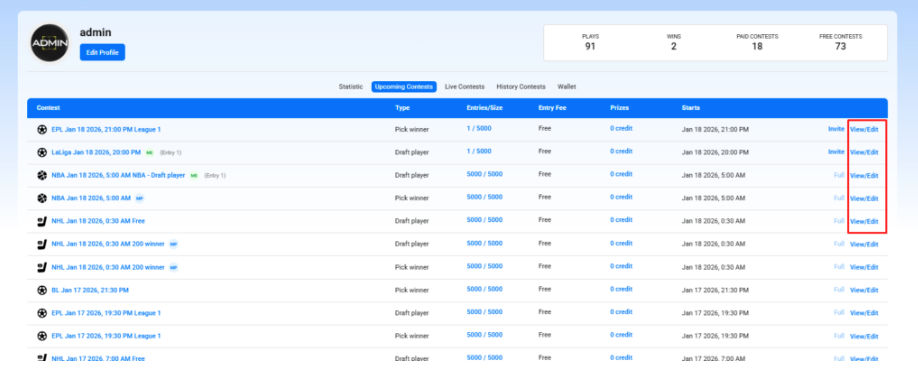
Steps to edit a contest #
- Open the contest
- Go to Profile → Upcoming Contests → View/Edit
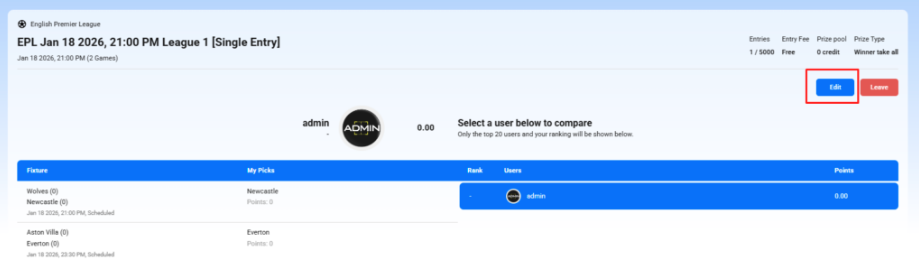
- Click “Edit”
- On the contest details page, click the Edit button (usually next to Leave).
- Update your selections
- Draft contests: Add/remove players, adjust your lineup, and ensure you stay within the salary cap.
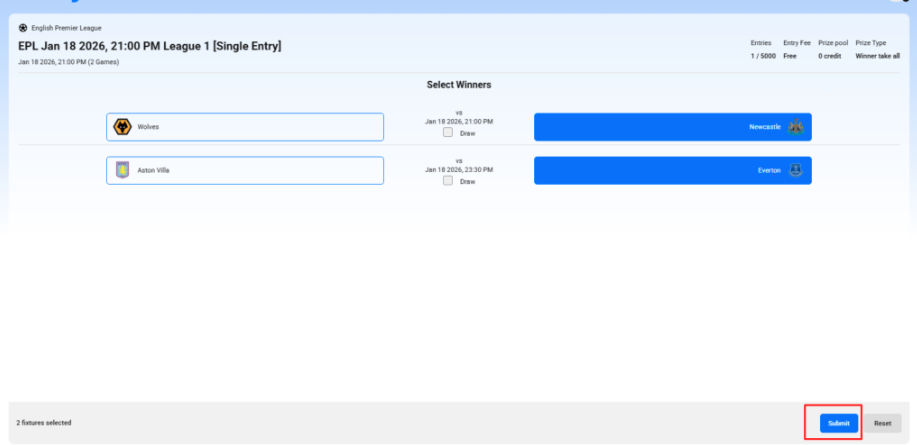
- Pick winner contests: Change your selected teams or outcomes (win/draw).
- Review your changes
- Double-check fixtures, players, salary remaining, and selections.
- Submit
- Click Submit to save your updated entry.
Important notes #
- Editing is only available before the contest starts.
- Once the contest begins, entries are locked and cannot be edited.
- Your entry type (Single Entry / Multi-Entry) and contest rules remain unchanged.


