Table of Contents
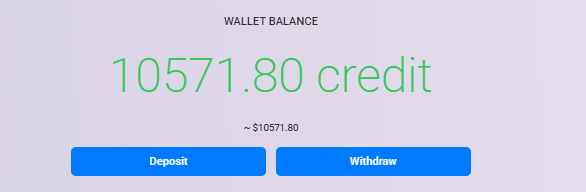
Step 1: Open Wallet #
- Log in to your account.
- Go to your Profile and select the Wallet tab.
- Click the Deposit button.

Step 2: Enter Deposit Amount #
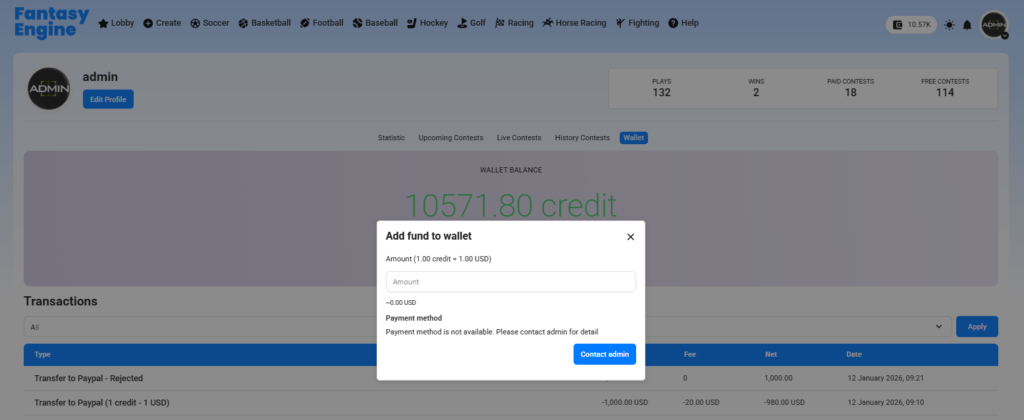
- In the Add fund to wallet popup, enter the amount you want to deposit (in COIN).
- The system will automatically show the estimated value in USD
(Example: 1.00 COIN = 0.50 USD).
Step 3: Choose Payment Method #
Select one of the available payment methods:
- PayPal
- Stripe
- Paystack
- NowPayments
⚠️ Available payment methods depend on the system configuration set by the administrator.
Step 4: Complete Payment #
- Click Proceed.
- Follow the on-screen instructions to complete the payment through the selected gateway.
Step 5: Check Wallet Balance #
- After the payment is completed successfully, the deposited funds will be added to your wallet.
- You can view your updated balance and transaction history in the Wallet section.