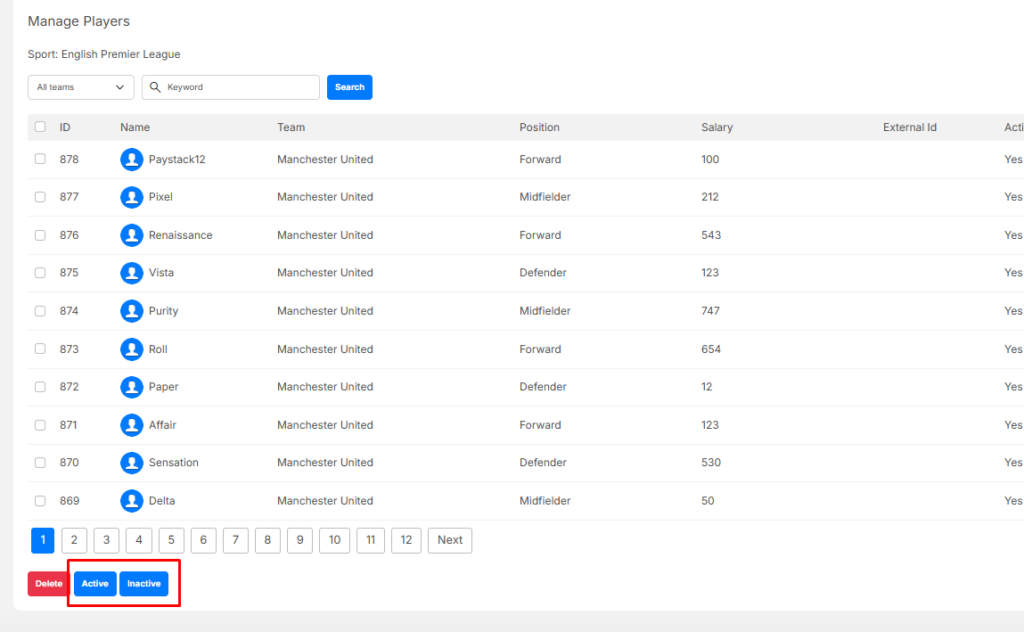
This section explains how Admin users can manage Players within a League in the Fantasy Engine system, including creating new players, editing existing information, deleting players, and changing their active status.
Navigation Path: Dashboard > Fantasy Engine > Sports > Manage Players > Create New
Create a Player #
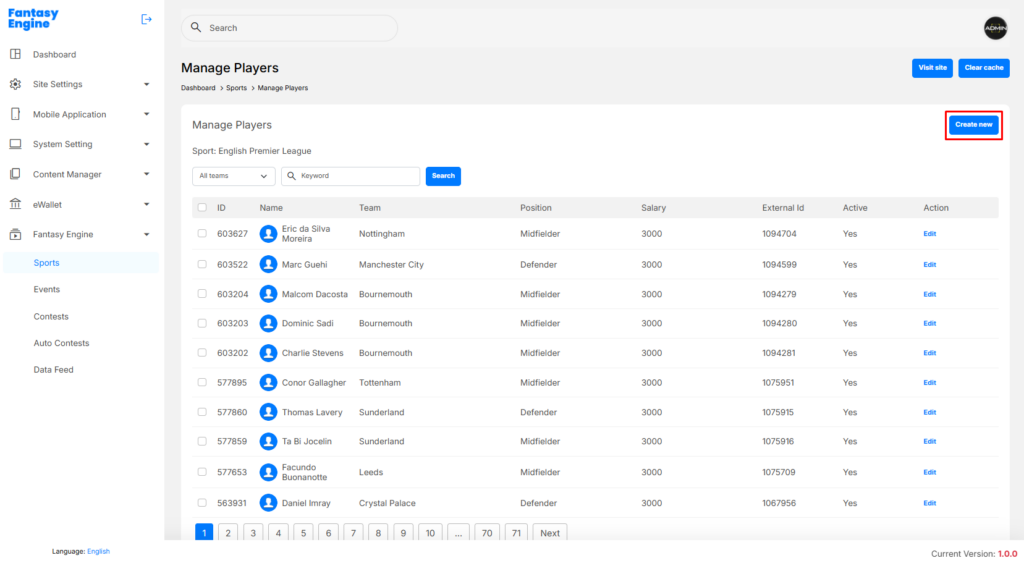
- Click Create New
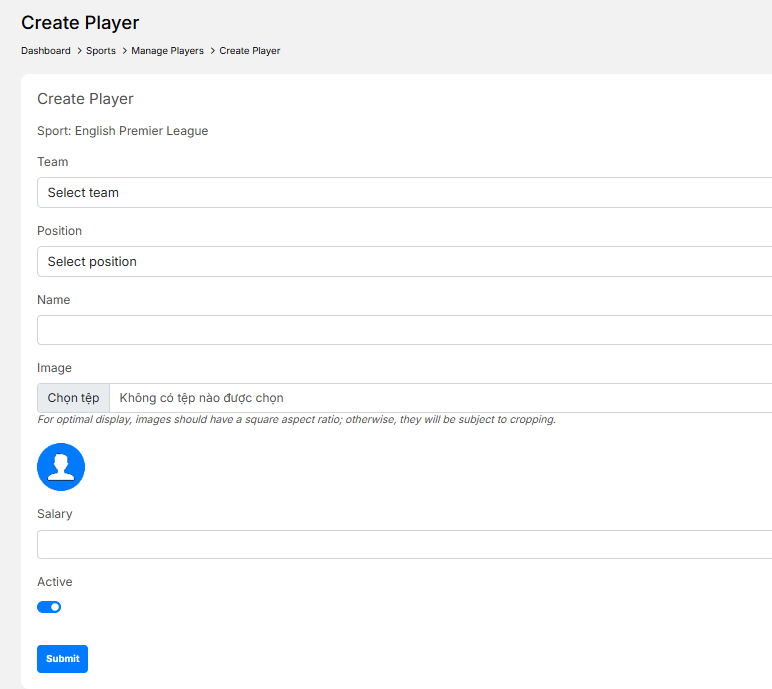
- Select the following:
- Team: Assign the player to a team
- Position: Player position (e.g. Attacker, Midfielder)
- Enter player details:
- Name: Full player name
- Image: Player avatar (Recommended ratio: 1:1 (square))
- Salary: Player salary used in contests
- Set Active to enable the player
- Click Submit
✅ The player will appear in the Manage Players list.
Edit a Player #
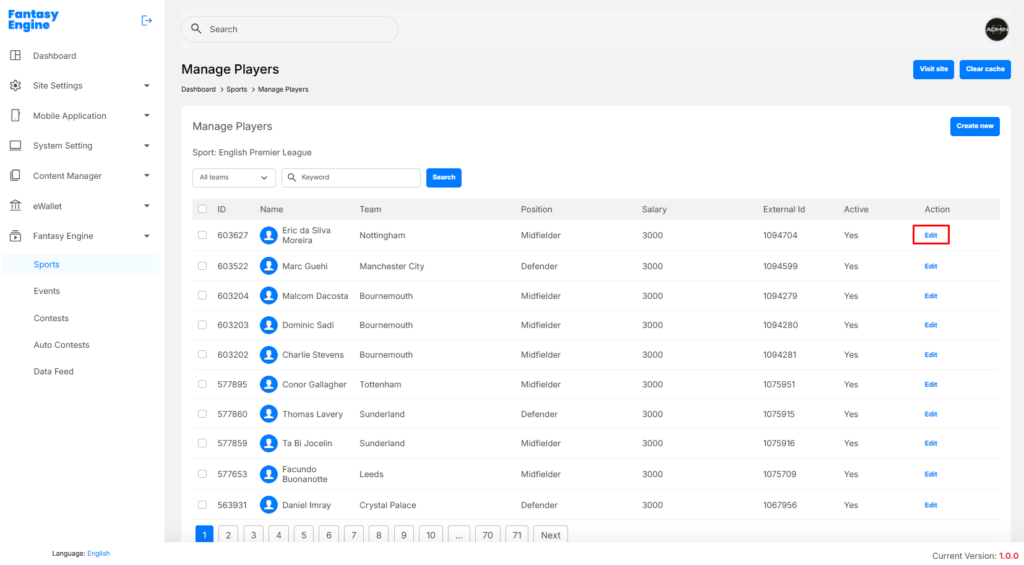
- Go to Manage Players
- Locate the player in the list
- Click Edit in the Action column
- Update the required information:
- Team
- Position
- Name
- Image
- Salary
- Active status
- Click Submit to save changes
Delete a Player #
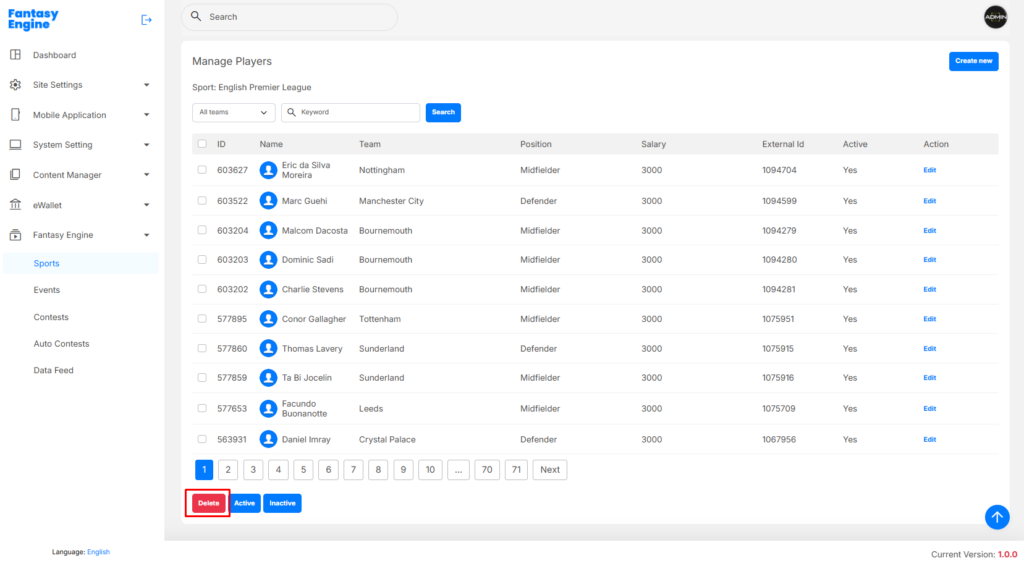
- Go to Manage Players
- Select one or more players using the checkboxes
- Click Delete
- Confirm the deletion
Deleting a player may affect existing events or contests. It is recommended to deactivate players instead of deleting them when possible.
Activate / Deactivate a Player #
- Go to Manage Players
- Select one or more players
- Click:
- Active – to enable selected players
- Inactive – to disable selected players